Getting Started with Short Links in Gemini CLI Using ShortURL MCP
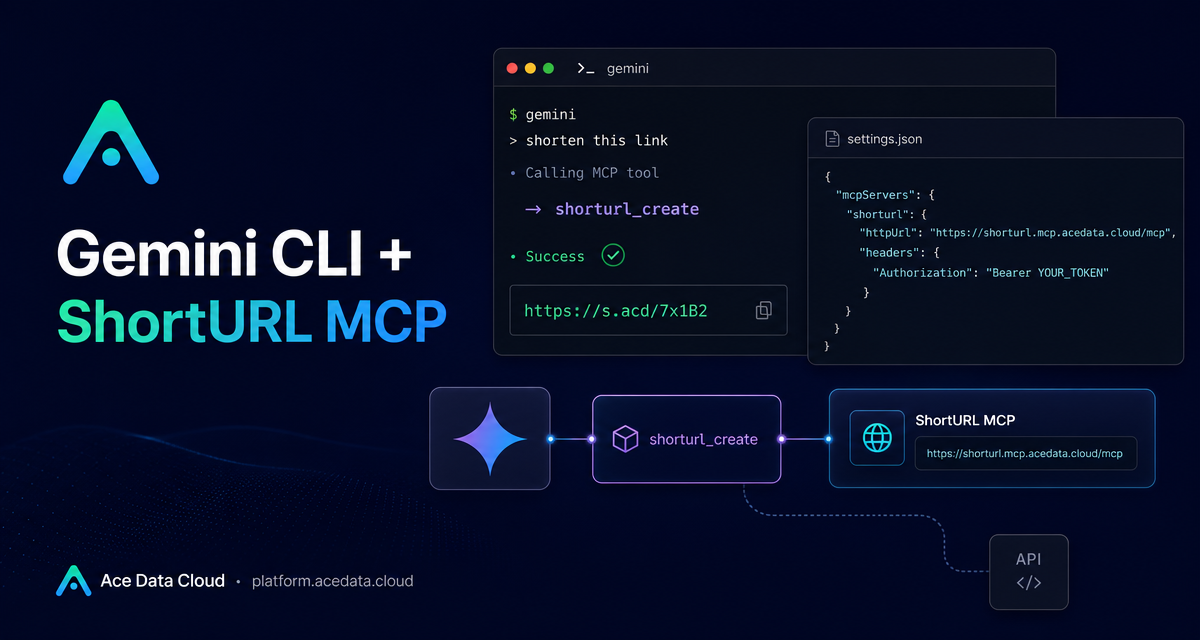
Long URLs are awkward in chat, email, release notes, and terminal output. If your day already runs through Gemini CLI, the most practical fix is not another browser tab—it is a small MCP tool that can shorten links directly inside the conversation.
This guide walks through connecting the ShortURL MCP server to Gemini CLI, what the configuration means, and how to use it in a repeatable builder workflow. The goal is simple: let the assistant shorten one link or a batch of links while you stay in the terminal.
What you can do
The ShortURL MCP integration documented by Ace Data Cloud exposes one focused capability: generating short links from long URLs. The documented tool is shorturl_create, described as a tool that shortens long links.
That narrow scope is useful. Instead of asking a general-purpose agent to invent a link workflow, you give Gemini CLI a concrete MCP server with a concrete tool. In practice, that means you can ask for tasks such as:
- Shorten a single product, documentation, or landing-page URL.
- Shorten multiple links before pasting them into an email.
- Prepare a compact set of release-note links from inside a terminal session.
- Keep URL cleanup as part of a larger writing or publishing workflow.
How it works
Gemini CLI supports MCP servers. The ShortURL MCP server is reached over HTTP at https://shorturl.mcp.acedata.cloud/mcp. Authentication is passed as an HTTP header:
Authorization: Bearer yourTokenOnce the server is configured, Gemini CLI can make the tool available in a new session. You do not have to design a separate REST client for the shortening step; you configure the MCP server once, then call it naturally from the conversation.
Configure it with the Gemini CLI command
The fastest documented path is the gemini mcp add command. Replace yourToken with your Ace Data Cloud API token:
gemini mcp add shorturl \
  --transport http \
  https://shorturl.mcp.acedata.cloud/mcp \
  --header "Authorization: Bearer yourToken"
There are a few details worth noticing here. The server name is shorturl, the transport is http, and the MCP server URL is the full https://shorturl.mcp.acedata.cloud/mcp endpoint. The header is also part of the configuration, so Gemini CLI can authenticate when it calls the MCP server.
Or configure it manually in settings.json
If you prefer explicit configuration, the documented manual option is to edit ~/.gemini/settings.json. The relevant object lives under mcpServers:
{
  "mcpServers": {
    "shorturl": {
      "httpUrl": "https://shorturl.mcp.acedata.cloud/mcp",
      "headers": { "Authorization": "Bearer yourToken" }
    }
  }
}
This form is helpful when you keep dotfiles under version control or want a clear reviewable config. If you do store the file anywhere shared, treat the Authorization value as a secret. The field names that matter here are mcpServers, shorturl, httpUrl, headers, and Authorization.
After saving the configuration, start a new gemini session so the MCP server list is reloaded.
Use it in a real workflow
The documented examples are intentionally conversational, which is the point of using MCP from an assistant-driven CLI. You can ask:
Shorten both of these links: https://platform.acedata.cloud and https://surl.idFor a writing workflow, a more realistic prompt might be:
I want to send an email. Shorten the following 5 release notes links.Gemini CLI can then route the shortening work to the configured shorturl_create tool instead of forcing you to switch contexts. This is especially useful when you are already asking the assistant to summarize release notes, draft an email, or prepare a small launch checklist.
A practical pattern for builders
I like to keep URL shortening as the last step in a content pipeline, not the first. Draft the message with full URLs while editing, because full URLs are easier to inspect. Then ask Gemini CLI to shorten only the links that will be sent externally. That gives you a clean review path:
- Write or generate the draft with readable long links.
- Ask Gemini CLI to identify the URLs that should be shortened.
- Call the ShortURL MCP integration to shorten them.
- Paste the final compact links back into the message.
This keeps the MCP tool focused on the mechanical job it is meant to do. The assistant can still help with surrounding writing and review, but the actual link shortening is handled by the dedicated shorturl_create capability.
Wrap-up
ShortURL MCP is a small integration, but it fits a common builder problem: cleaning up links without leaving the terminal. Configure the MCP server once, restart Gemini CLI, and use natural prompts when you need one short link or a batch of them.
For the exact source configuration and examples, read the Ace Data Cloud documentation: Gemini CLI with ShortURL MCP.


Comments
Post a Comment