How to Build Image Generation and Editing Workflows with the Seedream Images API
Building an image feature is not only about sending a prompt to a model. The harder part is designing a workflow that can generate, edit, stream, or poll results when a job takes longer than a single HTTP request.
What you can do
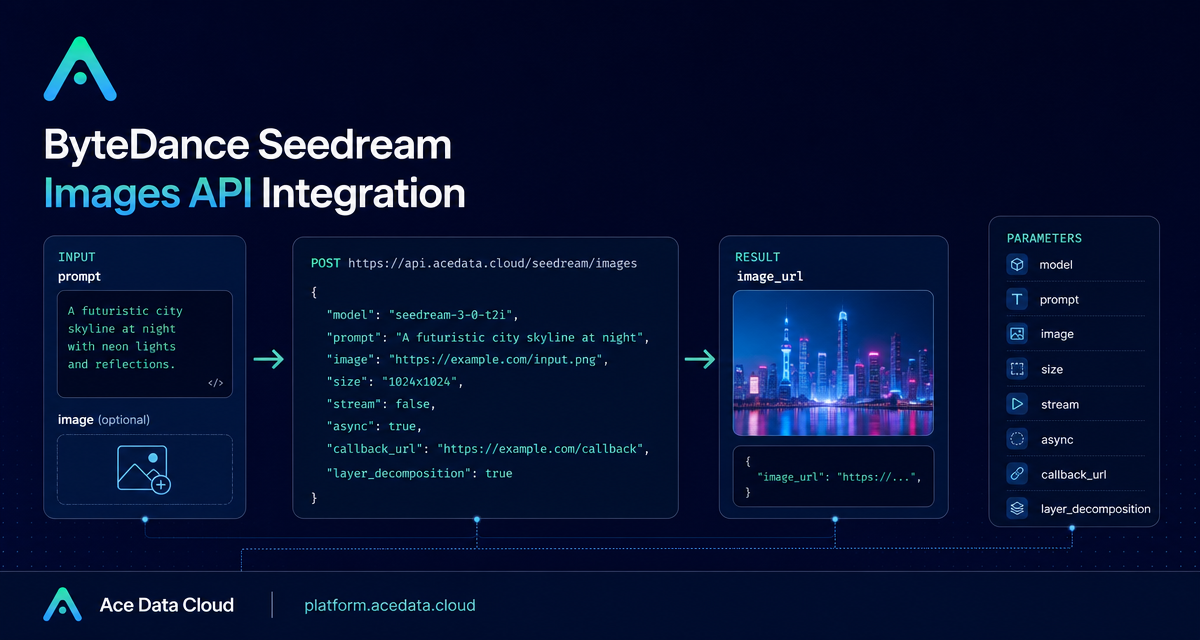
The Seedream Images API gives builders one endpoint for prompt-to-image generation, image editing with one or more input images, asynchronous jobs, streaming output, callback delivery, and Seedream 5.0 Pro layer decomposition. The core endpoint is POST https://api.acedata.cloud/seedream/images.
In a typical request you pass a model, a prompt, and optionally fields such as image, size, watermark, response_format, output_format, stream, async, callback_url, tools, background, or layer_decomposition.
How it works
Send JSON with accept: application/json, authorization: Bearer YOUR_API_TOKEN, and content-type: application/json. The basic generation action uses action: generate, a full model string, and a prompt. The model must be the full string, for example doubao-seedream-5-0-lite-260128; shortened names such as doubao-seedream-5.0-lite return a 400.
Handle long-running work
The docs note that image generation may take approximately 1-2 minutes. If you do not want to hold an HTTP connection open, provide a callback_url. The API returns a task_id immediately and later POSTs JSON to the callback URL. If you do not have a public callback endpoint, enable async with true and poll /seedream/tasks.
For supported Lite and 4.x models, stream: true uses accept: application/x-ndjson and returns events such as image_generation.partial_succeeded, image_generation.partial_failed, and one final image_generation.completed. Streaming cannot be combined with async or callback_url.
Use layer decomposition when you need editable assets
Seedream 5.0 Pro supports layer_decomposition. It splits one input image into one background image plus up to 16 independently editable transparent PNG layers. The returned data is ordered from bottom to top by z_index. Layers can include name, description, and bounding_box.absolute or bounding_box.normalized.
Plan for errors from the beginning
The documented error shape includes success: false, an error object with code and message, and a trace_id. Examples include 400 token_mismatched, 400 api_not_implemented, 401 invalid_token, 429 too_many_requests, and 500 api_error.
A good builder workflow is simple: validate model strings and size choices before calling the API, log task_id and trace_id, decide whether the job should be synchronous, streamed, callback-based, or polled, and return image_url only when the task has a usable result.
For the complete parameter reference and examples, read the Seedream Images API integration guide.


Comments
Post a Comment