How to Build an OpenAI-Compatible Audio Transcription Workflow
Audio transcription looks simple until you need it in a production workflow: large files, subtitles, timestamps, proper nouns, streaming output, and client timeouts all show up sooner than expected.
This guide walks through a practical way to use Ace Data Cloud's OpenAI-compatible speech recognition endpoint so you can move from a local audio file to plain text, subtitles, or incremental transcription without changing much of an existing OpenAI-style integration.
What you can do
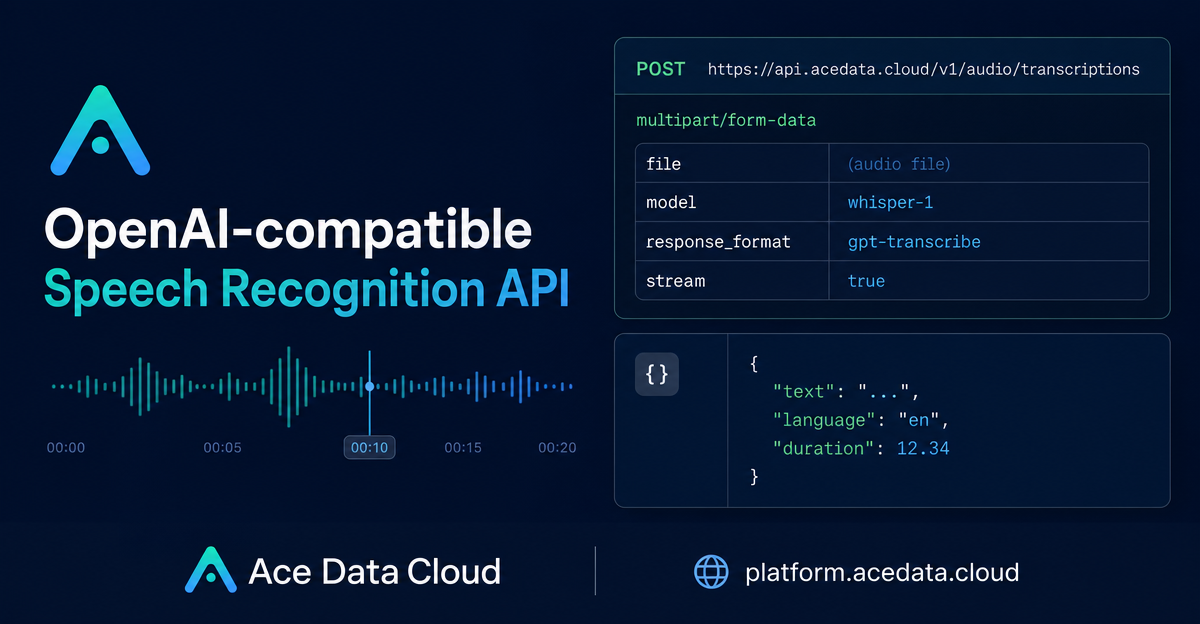
The transcription API accepts an audio file as multipart/form-data and returns text or subtitle-oriented output depending on the model and response_format you choose. The request URL is:
POST https://api.acedata.cloud/v1/audio/transcriptionsThere is also an alias endpoint, POST /openai/audio/transcriptions. Requests use an Authorization: Bearer {token} header.
The supported file formats are flac, mp3, mp4, mpeg, mpga, m4a, ogg, wav, and webm. A single file can be up to 25 MB, and a single request can cover up to one hour of audio.
How it works
The endpoint is compatible with OpenAI's /v1/audio/transcriptions shape. If you already use an OpenAI SDK, the main change is pointing base_url to https://api.acedata.cloud/v1 and using an AceData token as the API key.
At request time, the most important fields are:
file: required audio file.model: optional;whisper-1is the default, andgpt-transcribeis also supported.language: optional ISO-639-1 code such asenorzh.prompt: optional hints for style, proper nouns, or domain terms.response_format: output format such asjson,text,srt,verbose_json, orvtt, depending on model support.temperature: optional value from0to1; default is0.
Start with a basic transcription
For a simple audio-file-in, text-out workflow, use whisper-1 and let the endpoint return the default JSON response:
curl -X POST 'https://api.acedata.cloud/v1/audio/transcriptions' \
  -H 'authorization: Bearer {token}' \
  -F file=@audio.mp3 \
  -F model=whisper-1
A typical response contains a text field:
{
  "text": "Ace Data Cloud Platform is testing the speech recognition endpoint. The quick brown fox jumps over the lazy dog."
}
If you know the language, send language=en or another ISO-639-1 code. If you do not, leave it empty and let the service detect it automatically. For domain-heavy recordings, prompt is useful for product names, speaker names, or vocabulary that would otherwise be easy to mishear.
Generate subtitles when timing matters
If your output is going into a video player, course platform, or editing pipeline, plain text is not enough. With whisper-1, use response_format=srt or response_format=vtt to obtain a subtitle file directly:
curl -X POST 'https://api.acedata.cloud/v1/audio/transcriptions' \
  -H 'authorization: Bearer {token}' \
  -F file=@audio.mp3 \
  -F model=whisper-1 \
  -F response_format=srt \
  -o subtitle.srt
The response is returned as Content-Type: text/plain, so it can be written directly to a file. This is the quickest path for generating captions without building your own segmenting and formatting layer.
Use word-level timestamps for search and editing
For editors, transcript search, or jump-to-word interfaces, request verbose_json and pair it with timestamp_granularities[]=word:
curl -X POST 'https://api.acedata.cloud/v1/audio/transcriptions' \
  -H 'authorization: Bearer {token}' \
  -F file=@audio.mp3 \
  -F model=whisper-1 \
  -F response_format=verbose_json \
  -F 'timestamp_granularities[]=word'
The response includes fields like task, language, duration, text, and a words array where each item has word, start, and end. Use those offsets to highlight words during playback or to build a transcript index.
Stream partial text with gpt-transcribe
When you want incremental output, use gpt-transcribe with stream=true. This returns Content-Type: text/event-stream and emits OpenAI-compatible events:
curl -N -X POST 'https://api.acedata.cloud/v1/audio/transcriptions' \
  -H 'authorization: Bearer {token}' \
  -F file=@audio.mp3 \
  -F model=gpt-transcribe \
  -F stream=true
In the stream, transcript.text.delta carries incremental text, while transcript.text.done carries the complete text and usage. Receiving transcript.text.done means normal completion. If the client disconnects, processing is canceled instead of continuing in the background.
Model-specific parameters matter. languages[] and keywords[] are only for gpt-transcribe, while timestamp_granularities[] is for whisper-1 with verbose_json. Unsupported combinations return 400, which is helpful because it prevents silent misconfiguration.
Use the official Python SDK
Because the endpoint follows the OpenAI-compatible API shape, the Python SDK setup is small:
from openai import OpenAI

client = OpenAI(
    base_url="https://api.acedata.cloud/v1",
    api_key="{token}",
)

with open("audio.mp3", "rb") as f:
    result = client.audio.transcriptions.create(
        model="whisper-1",
        file=f,
    )

print(result.text)
In production, configure the client timeout to at least 300 seconds, especially for longer audio. Also validate file size before upload so you can split or compress files that exceed the 25 MB limit.
Practical error handling
Build your retry and user-facing messages around the documented status codes. A 400 means a missing file, unsupported model or format, invalid parameter, or a bad model-specific option. A 401 indicates authentication failure. A 403 means insufficient balance. A 413 means the file is too large. A 429 means requests are too frequent, and 500 is an internal API error.
The most robust implementation is boring: check file size, choose the model based on whether you need subtitles, timestamps, or streaming, send only the parameters supported by that model, and keep timeouts generous.
Where to go next
If you are building a podcast tool, meeting assistant, video caption workflow, or searchable audio archive, this endpoint gives you a straightforward path from raw media to structured transcript output. Start with the basic JSON response, then add subtitles, timestamps, or SSE streaming only when the product needs them.
Full reference: OpenAI Transcriptions API Integration Guide.


Comments
Post a Comment