How to Add Text-to-Speech to an App with the Fish TTS API
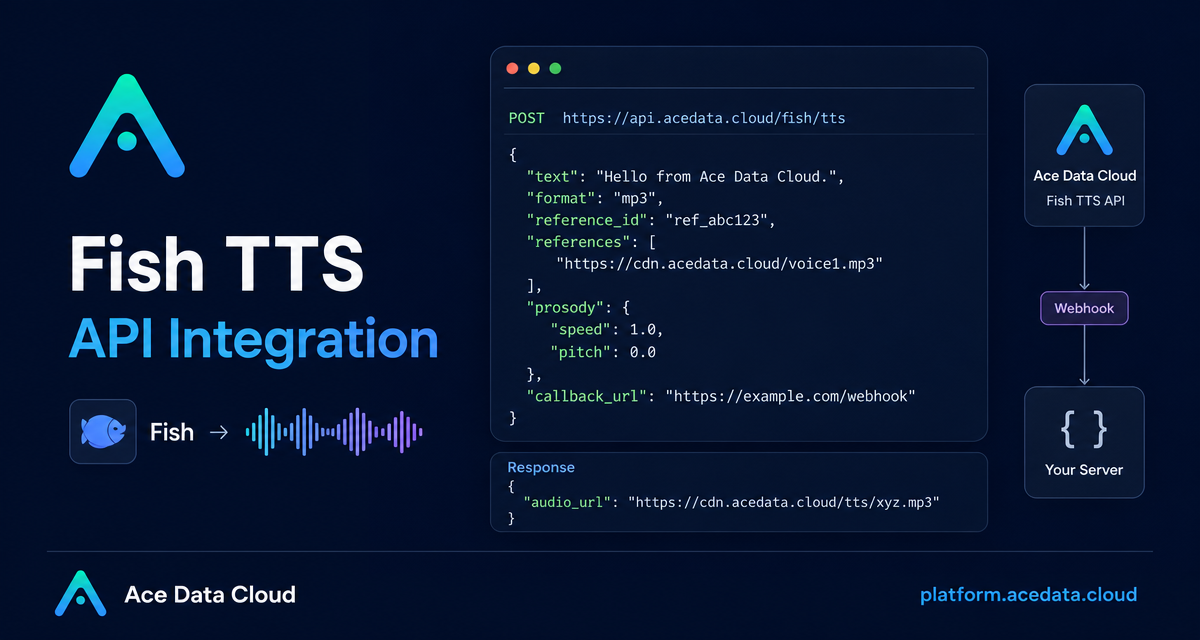
Shipping voice features is often less about picking a model and more about the details around audio format, latency, retries, and voice reuse. This guide walks through a practical Fish TTS API integration using the documented Ace Data Cloud endpoint for text-to-speech, saved voices, and one-time instant voice cloning.
What you can do
The Fish TTS API exposes one main endpoint:
POST https://api.acedata.cloud/fish/ttsWith that endpoint, you can build several common product flows:
- Generate an
mp3voiceover from plain text. - Return
wavorpcmwhen later processing needs a WAV container. - Use a reusable cloned or public voice through
reference_id. - Use one-time instant voice cloning through
references. - Adjust speech with
prosody.speedandprosody.volume. - Move long-running synthesis behind a webhook using
callback_url.
How it works
Authentication uses an authorization header with Bearer {token}, and the request body is JSON. The required body field is text, a non-empty string. The optional format field can be mp3, wav, or pcm, with mp3 as the default. The documentation specifically notes that opus is not supported and will return 400.
The optional model HTTP header can be s1, s2-pro, or s2.1-pro; if omitted, it defaults to s2-pro. The docs describe s2.1-pro as the latest generation, s2-pro as expressive, and s1 as more stable for long text.
A successful synchronous response returns an audio_url. Some final responses also include a top-level cost object, but your application should treat audio_url as the artifact to download, store, or play.
Start with the smallest useful request
For a first integration, keep the body minimal. Explicitly sending format makes client behavior easier to reason about, especially if you later add browser playback or storage rules.
curl -X POST 'https://api.acedata.cloud/fish/tts' \
  -H 'authorization: Bearer {token}' \
  -H 'content-type: application/json' \
  -d '{
    "text": "Hello world.",
    "format": "mp3"
  }'
The documented response shape is simple:
{
  "audio_url": "https://cdn.acedata.cloud/assets/examples/fish/e2ffcc06-18da-4a8c-b9aa-9337d0f9ec1d-230825dfc559.mp3"
}
In a web app, this enables a straightforward flow: submit text, receive audio_url, then render an <audio> element or copy the asset to your own storage.
Choose between reusable voices and one-time cloning
The API supports two voice selection patterns, and the distinction matters. Use reference_id when the voice should be reused across many clips. It can be a string or an array of strings, and the docs note that voice IDs can come from saved or public voices.
curl -X POST 'https://api.acedata.cloud/fish/tts' \
  -H 'authorization: Bearer {token}' \
  -H 'content-type: application/json' \
  -d '{
    "text": "Hermanos míos, hoy es un buen día.",
    "reference_id": "8d2c17a9b26d4d83888ea67a1ee565b2",
    "format": "mp3"
  }'
Use references for one-time instant voice cloning. The field supports only one {"audio", "text"} sample. The audio value must be a public HTTPS MP3 or WAV URL, and text should be the accurate verbatim transcript of that audio. The docs also state that reference_id and references cannot be used together.
Control delivery with prosody and audio options
Small voice controls make generated audio easier to fit into real interfaces. The prosody object supports speed, where 1.0 is the original rate, and volume, measured in dB. A speed greater than 1 is faster; less than 1 is slower. A volume value of 0 leaves gain unchanged.
curl -X POST 'https://api.acedata.cloud/fish/tts' \
  -H 'authorization: Bearer {token}' \
  -H 'content-type: application/json' \
  -d '{
    "text": "Faster speech with prosody overrides.",
    "prosody": { "speed": 1.2, "volume": 0 },
    "format": "mp3"
  }'
For MP3 output, mp3_bitrate can be 64, 128, or 192. For pcm, the returned link uses a WAV container with 16-bit PCM, and sample_rate commonly uses 16000, 22050, or 44100.
Use callbacks for long text
Long text can take more than ten seconds, sometimes dozens of seconds. The documented async pattern is to pass callback_url. The first response contains task_id and started_at, not the final audio. When synthesis completes, the API posts the final JSON result to your callback URL.
curl -X POST 'https://api.acedata.cloud/fish/tts' \
  -H 'authorization: Bearer {token}' \
  -H 'content-type: application/json' \
  -d '{
    "text": "今天天气真好,我们一起出去散散步吧。",
    "format": "mp3",
    "callback_url": "https://webhook.site/4815f79f-a40f-4078-ac85-1cc126b6bb34"
  }'
Your webhook handler should persist the task_id, check for audio_url in the final payload, and make the generated file available to the user only after the callback arrives.
Handle errors explicitly
The docs list useful error categories to map in your client: 400 token_mismatched for missing or invalid parameters, 401 invalid_token for authentication issues, 429 too_many_requests for rate limits, and 500 api_error for internal errors. Validation messages may include the invalid field, so keep the raw message in logs even if the UI shows a friendlier error.
A practical integration does not need much ceremony: start with text and format, decide whether the voice is reusable or request-local, and use callback_url once text length makes synchronous calls inconvenient. For the complete field list and tested examples, read the Fish TTS API Integration Guide.


Comments
Post a Comment