How to Use NanoBanana MCP in Claude Code for Terminal-Based Image Editing
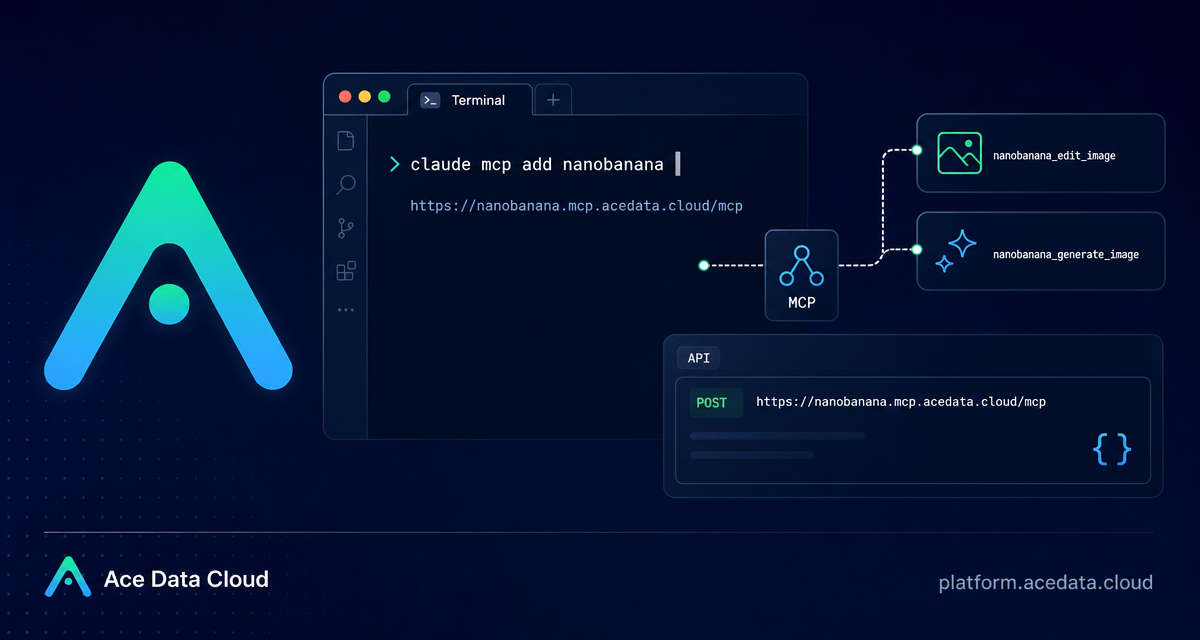
When image generation is part of your build loop, switching from the terminal to a separate design tool breaks concentration. The NanoBanana MCP Server lets Claude Code call image generation and image editing tools directly from a terminal session, so you can describe the visual change you want while staying inside the project context.
What you can do
The Ace Data Cloud document describes a focused Claude Code workflow for NanoBanana MCP. In practice, it gives you two tools inside Claude Code:
nanobanana_generate_imagefor text-to-image generation.nanobanana_edit_imagefor image editing, including multi-image input.
The useful part is not only that Claude can request an image. It is that NanoBanana, backed by Gemini image understanding, can reason about image content. The source guide gives a concrete example: provide two images, then ask the model to place an object from image A into the scene of image B while adjusting angle and lighting.
How it works
Claude Code supports MCP servers over HTTP. The NanoBanana MCP Server is exposed at https://nanobanana.mcp.acedata.cloud/mcp. After you add that server to Claude Code with an authorization header, Claude can discover the available NanoBanana tools and call them from your coding session.
The connection is configured with the Claude Code CLI. The documented command is:
claude mcp add nanobanana --transport http https://nanobanana.mcp.acedata.cloud/mcp -H "Authorization: Bearer YOUR_TOKEN"One small detail matters: the header flag is uppercase -H. The guide explicitly warns that lowercase -h means help, not an HTTP header. If the server does not appear connected, this is the first typo I would check.
Choose the right Claude Code scope
Claude Code can store the MCP configuration at different scopes. The document calls out three options:
local, the default when you omit-s, applies only in the current project directory.user, set with-s user, makes the server available globally across projects.project, set with-s project, writes configuration to.mcp.jsonin the project root so a team can share the setup.
For a single experiment, local scope is fine. For a design-heavy app where image generation is part of everyday work, user scope is convenient. For a team workflow, project scope is attractive, but the guide includes an important caveat: do not commit real tokens to public repositories. Use environment-variable placeholders instead.
Verify the connection before asking for images
After adding the server, run:
claude mcp listYou should see nanobanana marked as connected. I like doing this before the first generation request because it separates connection problems from prompt problems. If the server is not connected, fix the MCP configuration first; if it is connected, then iterate on the image prompt.
Use case 1: compose two images
The most interesting workflow in the document is multi-image composition. Instead of treating every input as a flat reference, nanobanana_edit_image can work with multiple image URLs and understand their relationship. A practical product example might be: take a device from one photo and place it naturally into a desk scene from another.
The guide’s example prompt is direct and specific:
Put the phone from the first image onto the desk in the second image, adjusting angle and lighting to make it look naturalThat style is worth copying. Tell the model what object to move, which image provides the scene, and what realism constraints matter: angle, lighting, shadows, scale, or background continuity.
Use case 2: clean up screenshots or visual assets
The document also shows a simple editing task: removing unwanted text from an image and filling the background. In a builder workflow, this is useful when preparing documentation screenshots, mockups, or social previews where one visual element distracts from the core UI.
Edit this image to remove the text watermark in the bottom right corner, filling the backgroundFor best results, keep the instruction narrow. If the task is cleanup, do not also ask for a style change, new layout, and color correction in the same request. Make one edit, inspect the result, then continue.
Use case 3: generate small illustrations for product states
NanoBanana MCP can also generate images from text. The source guide gives a 404-page illustration example:
Generate an illustration of a small dinosaur crouching next to a crack in the ground looking down, for use on a 404 pageThis is where keeping Claude Code in the loop feels natural. You can ask for an empty-state illustration while looking at the route, component, or copy that will use it. The prompt does not need to be theatrical; it needs to describe the subject, mood, and destination inside the product.
A minimal terminal workflow
Putting the pieces together, a safe first run looks like this:
- Copy your Ace Data Cloud API token from the platform.
- Add NanoBanana MCP to Claude Code with the documented HTTP endpoint.
- Run
claude mcp listand confirmnanobananais connected. - Ask Claude Code for either
nanobanana_generate_imageornanobanana_edit_imagebehavior in natural language. - Iterate in small steps: composition, cleanup, then final polish.
# Add the MCP server for the current project directory
claude mcp add nanobanana --transport http https://nanobanana.mcp.acedata.cloud/mcp   -H "Authorization: Bearer YOUR_TOKEN"

# Confirm Claude Code can see it
claude mcp list
That is enough to start treating image work as part of the development loop rather than a separate browser chore. For the complete setup notes and the original examples, read the Ace Data Cloud documentation: Claude Code integration with NanoBanana MCP.


Comments
Post a Comment