How to Run Hermes Agent with an OpenAI-Compatible Endpoint
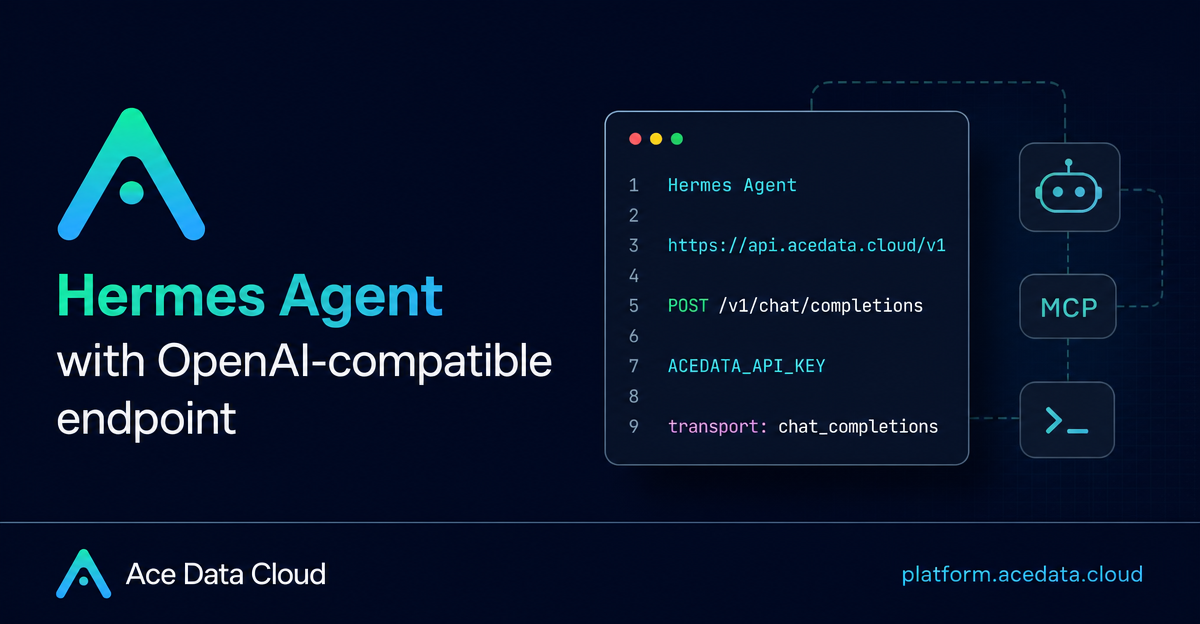
Terminal agents are useful only when they can keep a conversation going, call the right model, and survive real work instead of demo prompts. Hermes Agent is one of those tools: it runs from the terminal, supports persistent memory and skills, and can connect to a custom OpenAI-compatible provider. This guide walks through a practical setup that points Hermes at Ace Data Cloud through its OpenAI-compatible Chat Completions endpoint.
What you can do
With this setup, Hermes uses Ace Data Cloud as a custom model provider. In practice, that means you can:
- Start Hermes locally with
hermes chatafter configuring a custom endpoint. - Store the API token separately from the provider configuration using
~/.hermes/.env. - Route Hermes requests through
https://api.acedata.cloud/v1usingtransport: chat_completions. - Verify the integration with a direct
POST /v1/chat/completionscurl request. - Switch between supported model IDs such as
claude-opus-5,gpt-5,gemini-2.5-pro, ordeepseek-v3.2-exp, depending on what you want Hermes to do.
The main idea is simple: Hermes already knows how to talk to OpenAI-compatible endpoints, so Ace Data Cloud can be configured as a custom provider without an extra plugin.
How it works
Hermes separates secrets from non-secret model configuration. Your API token goes into ~/.hermes/.env, while provider settings and the default model live in ~/.hermes/config.yaml. The provider entry tells Hermes three important things: where the API is, which environment variable contains the key, and which transport to use.
The Ace Data Cloud API base URL used by Hermes is:
https://api.acedata.cloud/v1For Chat Completions traffic, the endpoint Hermes ultimately relies on is:
POST /v1/chat/completionsHermes requires at least a 64K context window for each session. The documented setup either lets Hermes read context information from /v1/models, or you can set an explicit fallback such as context_length: 1000000 in the provider configuration.
Install Hermes and confirm the CLI works
On Linux, macOS, or WSL2, install Hermes with the official installer:
curl -fsSL https://hermes-agent.nousresearch.com/install.sh | bashAfter the installer finishes, confirm that the command is available:
hermes --versionIf the command prints a Hermes Agent version, you can move on to model configuration. The installer prepares the runtime dependencies Hermes needs, including Python, Node.js, ripgrep, and ffmpeg.
Configure Ace Data Cloud with the interactive flow
The easiest path is to use Hermes' model configuration UI:
hermes modelWhen Hermes lists providers, choose the custom endpoint option. Then enter the following values:
API base URL:https://api.acedata.cloud/v1API key: your Ace Data Cloud API tokenModel: for example,claude-opus-5Context length: leave blank so Hermes can read/v1/models, or use200000as a fallback
Hermes writes the token to ~/.hermes/.env and writes the provider choice to ~/.hermes/config.yaml. Once that is done, start a session:
hermes chatConfigure it manually for repeatable environments
If you are preparing a machine image, a development container, or a CI-like environment, editing the files directly is easier to reproduce.
First, put the token in ~/.hermes/.env:
ACEDATA_API_KEY={token}Then configure the provider in ~/.hermes/config.yaml:
providers:
  acedatacloud:
    name: Ace Data Cloud
    api: https://api.acedata.cloud/v1
    key_env: ACEDATA_API_KEY
    transport: chat_completions
    context_length: 1000000

model:
  provider: custom:acedatacloud
  default: claude-opus-5
The key detail is key_env: ACEDATA_API_KEY. This lets you keep the secret in the environment file while keeping the model provider definition readable and reusable.
Verify the path before debugging Hermes
Before changing multiple settings at once, test the OpenAI-compatible endpoint directly. This curl command bypasses Hermes and checks whether the token, endpoint, and model ID can produce a normal chat completion response:
curl -sS -H "Authorization: Bearer $ACEDATA_API_KEY" -H "Content-Type: application/json" -X POST https://api.acedata.cloud/v1/chat/completions -d '{"model":"claude-opus-5","messages":[{"role":"user","content":"reply HERMES_OK"}],"max_tokens":20}'The expected shape is an OpenAI-compatible chat.completion object. The model reply is in choices[0].message.content. If the content is HERMES_OK, the API side is working and you can return to Hermes with more confidence.
You can also test through Hermes itself:
hermes chat -Q --max-turns 1 -q "Reply with EXACTLY this string and nothing else: HERMES_OK"Use different models for different jobs
Hermes supports runtime model switching with the /model command. The documented examples use the custom provider name followed by a model ID:
/model custom:acedatacloud:gpt-5
/model custom:acedatacloud:gemini-2.5-pro
/model custom:acedatacloud:deepseek-v3.2-exp
To persist a model choice globally, add --global:
/model custom:acedatacloud:claude-opus-5 --globalFor auxiliary tasks such as title generation, vision, compression, and web extraction, Hermes can route work to lighter models. The documented configuration uses gemini-2.5-flash for title, vision, and compression, and gemini-2.5-flash-lite for web extraction.
Troubleshooting checklist
No API keyor provider not found: check that~/.hermes/.envcontainsACEDATA_API_KEY, or rerunhermes model.HTTP 401orHTTP 403: verify that the API token is correct and enabled.HTTP 402: the token is valid, but the balance is insufficient.HTTP 429: wait and retry later; an upstream rate limit was triggered.Context limit: 2048 tokens: explicitly addcontext_length: 1000000underproviders.<name>.
Once the direct curl test works, Hermes configuration becomes much easier to reason about: one environment variable for the key, one custom provider entry, and one model ID that you can switch as your task changes.
For the complete reference, including hosted deployment notes and the full troubleshooting table, read the Ace Data Cloud document: Using Ace Data Cloud with Hermes Agent.


Comments
Post a Comment