How to Build Image Generation and Editing Workflows with the Nano Banana Images API
If your app needs to turn a prompt into an image, or apply a precise edit to existing image inputs, the hard part is usually not the model call itself. It is designing a small workflow that handles inputs, tracks results, and gives you enough metadata to debug failed generations later.
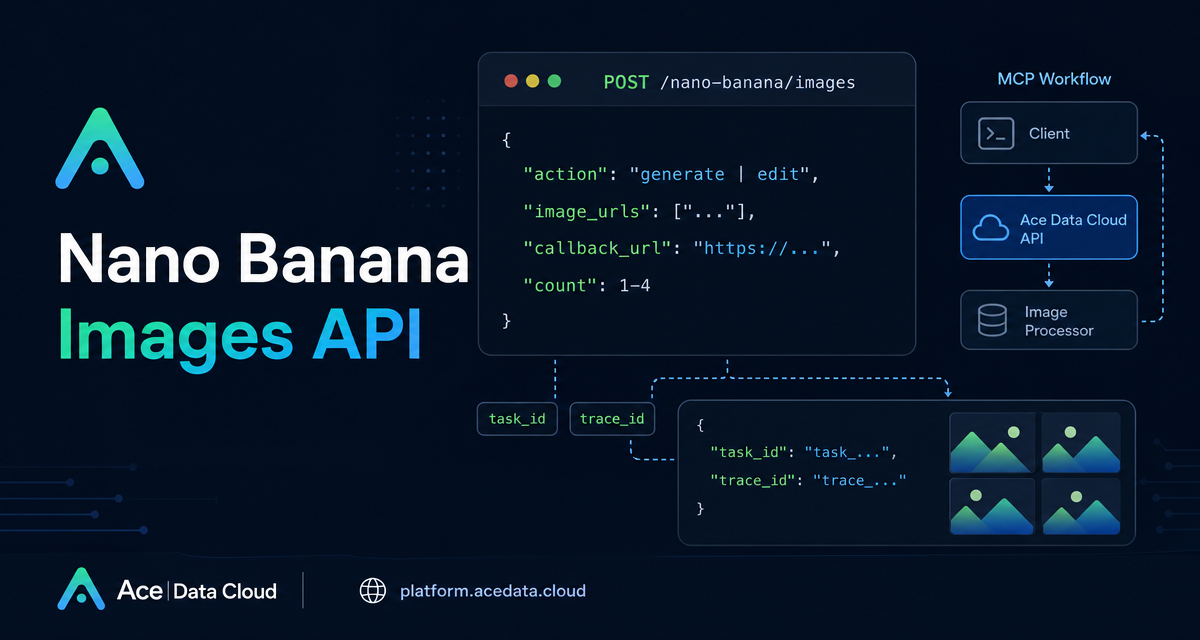
The Nano Banana Images API in Ace Data Cloud exposes both creation and editing through one endpoint: POST /nano-banana/images. You choose the behavior with an action field, send a prompt, and optionally pass model, image, count, resolution, aspect ratio, or callback parameters depending on the job.
What you can do
The API supports two core actions:
generate: create images from a text prompt.edit: edit or combine existing images usingimage_urlsplus a prompt.
Both actions use the same base URL, https://api.acedata.cloud, and the same endpoint, /nano-banana/images. Authentication is done with an HTTP header: authorization: Bearer {token}. The documented request headers are accept: application/json and content-type: application/json.
This makes the API easy to wire into builder workflows such as product mockup generation, ad creative variants, marketplace image cleanup, internal design assistants, or content pipelines where an LLM writes the prompt and another service stores the resulting image URL.
How it works
The smallest generation request needs only action and prompt. For editing, you also pass image_urls, an array with at least one image. The documentation notes that image URLs can be publicly accessible HTTP or HTTPS links, and can also be Base64 encoded images such as data:image/png;base64,....
The response is intentionally workflow-friendly. A successful call returns success, task_id, trace_id, and a data array. Each item in data contains the echoed prompt and an image_url. Store both task_id and trace_id; they are useful for associating results with a job in your database and for troubleshooting when something goes wrong.
Choosing the right model
The optional model parameter defaults to nano-banana. The integration guide lists several choices:
nano-banana: the default model, based on Gemini 2.5 Flash Image.nano-banana-2-lite: based on Gemini 3.1 Flash Lite Image and supports only1K.nano-banana-2: based on Gemini 3.1 Flash Image Preview.nano-banana-pro: based on Gemini 3 Pro Image Preview.- Official-channel variants such as
nano-banana:official,nano-banana-2-lite:official,nano-banana-2:official, andnano-banana-pro:official.
You can also request count from 1 to 4 images. If some images fail, the guide says only successful images are returned in data and billed. That behavior is worth reflecting in your UI: do not assume that count: 4 always means four returned URLs.
Example: generate a single image
Here is a minimal curl request for a one-image generation job:
curl -X POST 'https://api.acedata.cloud/nano-banana/images' \
  -H 'authorization: Bearer {token}' \
  -H 'accept: application/json' \
  -H 'content-type: application/json' \
  -d '{
    "action": "generate",
    "model": "nano-banana-pro",
    "prompt": "A photorealistic close-up portrait of an elderly Japanese ceramicist with deep, sun-etched wrinkles and a warm, knowing smile. He is carefully inspecting a freshly glazed tea bowl. The location is his rustic, sun-drenched workshop. The scene is illuminated by soft, golden hour light streaming through a window, highlighting the fine texture of the clay. Captured with an 85mm portrait lens, resulting in a soft, blurred background (bokeh). The overall mood is serene and masterful. Vertical portrait orientation.",
    "count": 1
  }'
A successful response follows this shape:
{
  "success": true,
  "task_id": "70e6931b-6e34-43db-9e36-8765e2809d04",
  "trace_id": "60df8d38-f265-4986-aec7-75c9220bced2",
  "data": [{"prompt": "A photorealistic close-up portrait...", "image_url": "https://platform2.cdn.acedata.cloud/nanobanana/1d0160b4-93f9-4229-8926-ea9ef0bed336.png"}]
}
Example: edit or combine existing images
For editing, choose action as edit, describe the target result in prompt, and pass the source images through image_urls. The guide’s example combines a person image and a shirt image:
curl -X POST 'https://api.acedata.cloud/nano-banana/images' \
  -H 'authorization: Bearer {token}' \
  -H 'accept: application/json' \
  -H 'content-type: application/json' \
  -d '{
    "action": "edit",
    "prompt": "let this man wear on this T-shirt",
    "image_urls": ["https://cdn.acedata.cloud/v8073y.png", "https://cdn.acedata.cloud/44xlah.png"],
    "count": 1
  }'
In production, validate that each source image is directly reachable before sending the job. Broken or private URLs are a common cause of image workflow failures.
Using callbacks for longer jobs
Generation and editing can take time, so the guide recommends using callback_url when you do not want to hold a connection open. Add a publicly accessible webhook URL that supports POST JSON. The API returns a response containing the task_id, and when the task completes, Ace Data Cloud posts the final JSON payload to your callback URL. The callback payload uses the same field structure as a normal successful response: success, task_id, trace_id, and data with image URLs.
Error handling checklist
The documented error format includes success: false, an error object, and a trace_id. Common codes include token_mismatched, api_not_implemented, invalid_token, too_many_requests, and api_error.
A practical integration should log the request action, model, count, task_id if present, and trace_id. For user-facing apps, show a retryable message for rate limits or server errors, but keep the trace ID in your internal logs.
The important design idea is simple: treat image generation as a job, not just a one-off HTTP call. Keep the input prompt, source images, task identifiers, and returned image URLs together. That small amount of structure makes your image pipeline much easier to debug and extend.
For the complete source reference, see the Nano Banana Images API Integration Guide.


Comments
Post a Comment