How to Build a High-Resolution Image Workflow with the SeeDream API
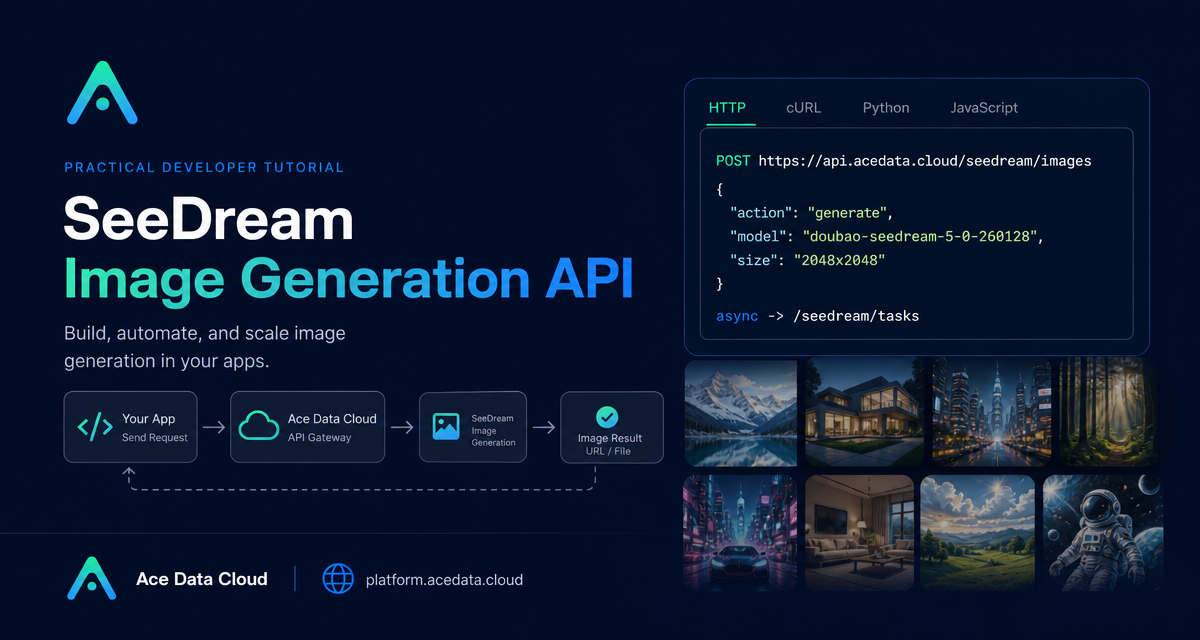
Product teams often need more than a single pretty image: they need a repeatable way to turn prompts, references, sizes, and async jobs into usable visual assets. The SeeDream Image Generation API is a practical fit for that kind of workflow because the same endpoint can handle text-to-image, image-to-image, high-resolution output, and task polling.
What you can do
The core endpoint in the source document is POST https://api.acedata.cloud/seedream/images. With it, you can build a small image pipeline that:
- Generates an image from a prompt using
action: generate. - Uses complete model strings such as
doubao-seedream-5-0-260128,doubao-seedream-5-0-pro-260628,doubao-seedream-4-5-251128, ordoubao-seedream-4-0-250828. - Returns the final asset URL in
data[].image_url, along with the actual pixelsize. - Runs long generations asynchronously by passing
async: true, then pollingPOST https://api.acedata.cloud/seedream/tasks. - Modifies existing images by passing an
imagevalue, either as a URL/Base64 value or an array of multiple images.
That makes it useful for builder workflows like product mockups, e-commerce still-life shots, content covers, and consistent image batches where you want the prompt and model choice to be explicit rather than hidden in a UI.
How it works
The API shape is intentionally small. You send a JSON request to /seedream/images with a model, prompt, and optional generation controls. The response includes a success flag, a task_id, a trace_id, and a data array. Each item in data can include the original prompt, the output size, and the generated image_url.
There are two common execution modes. For simple jobs, you can wait for the response directly. For jobs that may take longer, add "async": true. In async mode, store the returned task_id and retrieve the result later from /seedream/tasks using {"id":"...","action":"retrieve"}.
Start with a text-to-image request
A good first integration is a single text-to-image call. The document uses action: generate and the model doubao-seedream-5-0-260128. Keep your prompt concrete: subject, material, lighting, lens, background, and desired sharpness all help the model produce something that is easier to reuse downstream.
curl -X POST 'https://api.acedata.cloud/seedream/images'   -H 'accept: application/json'   -H 'authorization: Bearer {token}'   -H 'content-type: application/json'   -d '{
    "action": "generate",
    "model": "doubao-seedream-5-0-260128",
    "prompt": "A photorealistic studio product shot of a frosted-glass perfume bottle on wet black slate, single softbox key light, water droplets on the glass, dark moody background, 85mm macro, ultra sharp."
  }'
A successful response returns the generated image under data[].image_url and reports the actual dimensions in size:
{
  "success": true,
  "task_id": "81246f86-05ff-4d7d-9553-1013e0c1cd32",
  "trace_id": "ab50a78d-ab1f-457f-a46b-c2259cd5d35b",
  "data": [
    {
      "prompt": "A photorealistic studio product shot ...",
      "size": "2048x2048",
      "image_url": "https://platform2.cdn.acedata.cloud/seedream/....jpg"
    }
  ]
}
Use async mode for a safer backend flow
If your app has a request timeout, queue, or webhook-like worker, use async mode. The generation request returns quickly with a task_id; a worker can poll later and update your database when the image is ready.
curl -X POST 'https://api.acedata.cloud/seedream/images'   -H 'authorization: Bearer {token}'   -H 'content-type: application/json'   -d '{
    "action": "generate",
    "model": "doubao-seedream-5-0-260128",
    "prompt": "A clean product hero image for a ceramic desk lamp, soft shadows, neutral background, high detail.",
    "async": true
  }'
Then retrieve the task by ID:
curl -X POST 'https://api.acedata.cloud/seedream/tasks' -H 'authorization: Bearer {token}' -H 'content-type: application/json' -d '{"id": "81246f86-05ff-4d7d-9553-1013e0c1cd32", "action": "retrieve"}'In production, treat task_id as your stable handle, and store trace_id for debugging or audit trails. Only mark an asset as ready after the retrieved task contains the final image_url.
Move from generation to image editing
For image-to-image work, provide image. The document notes that this can be a URL or Base64, and that multiple images are allowed. A useful pattern is to keep the structure of a reference image while changing one visual dimension, such as material or style.
{
  "model": "doubao-seedream-4-0-250828",
  "prompt": "Keep the model pose and the garment shape unchanged. Change the clothing material from silver metal to completely transparent water, showing skin details through the flow, refraction instead of reflection.",
  "image": ["https://.../source.png"]
}
This is the point where the API becomes more than a prompt box. You can build repeatable internal tools: upload a reference, choose a controlled edit prompt, submit the job, and save the returned output URL beside the original asset.
Choose models and sizes deliberately
The source document is explicit about one important implementation detail: pass the complete model string. Abbreviations like doubao-seedream-5.0-lite are not valid and may return a 400. Use full strings such as doubao-seedream-5-0-260128 for the 5.0 Lite model, doubao-seedream-5-0-pro-260628 for the 5.0 Pro model, or the 4.x models when you need image editing and series-image workflows.
For sizing, the document describes two approaches that should not be mixed in the same request: preset resolutions such as "2K" or "4K", and pixel values such as "2048x2048". The model decides which tiers and aspect ratios are valid, so keep your validation close to the model selection UI. Common options also include response_format, watermark, and output_format for the 5.0 series.
A simple builder checklist
- Start with one model string and one image size; do not expose every option on day one.
- Use
async: truewhen integrating into a backend queue or dashboard. - Store
task_id,trace_id, prompt, model, and finalimage_url. - Use
imageinputs for controlled edits instead of trying to recreate references from text alone. - Validate size mode carefully: preset resolution or pixel value, not both.
The practical takeaway is simple: treat image generation as an API workflow, not a one-off prompt. Once prompts, references, models, sizes, and task retrieval are explicit, you can build tools that your team can actually operate and improve. For the original Ace Data Cloud source document, see the SeeDream Image Generation API guide.


Comments
Post a Comment