How to Build an Async Image Generation Workflow with the Seedream Images API
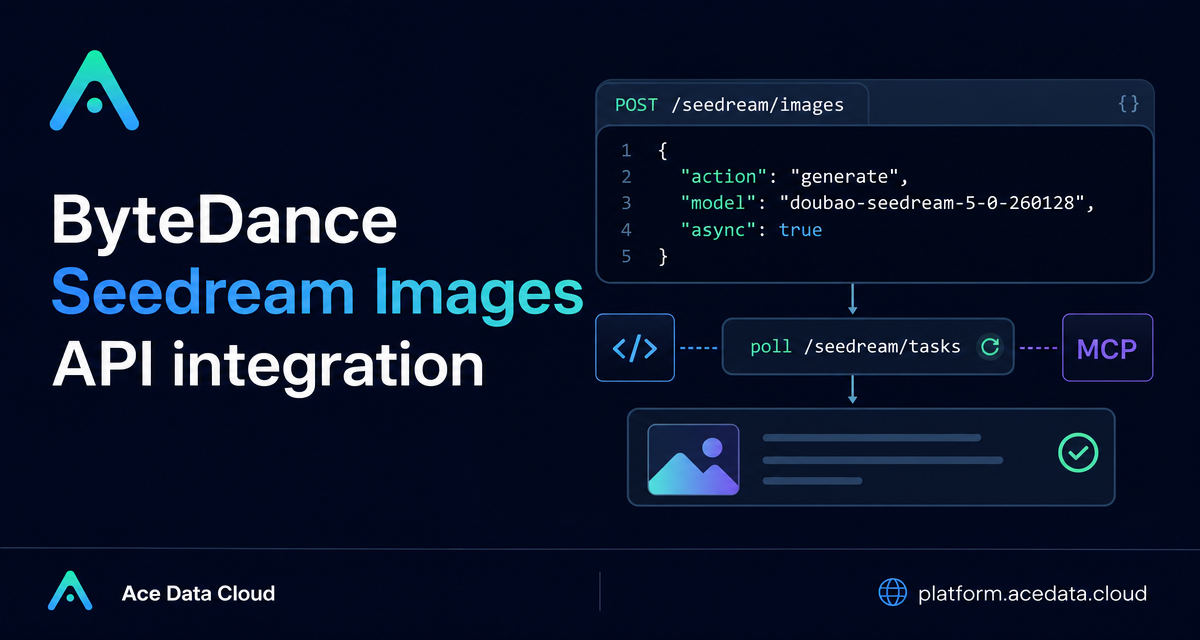
Image generation is easy to demo in a browser, but harder to ship in a real app: requests can take long enough that you need clear inputs, predictable response handling, and a way to avoid keeping HTTP connections open forever.
This guide walks through a practical Seedream Images API workflow using the public Ace Data Cloud documentation as the source of truth. The goal is not to cover every visual prompt trick, but to show how a builder can wire generation, editing, async execution, and result handling into a product.
What you can do
The Seedream Images API lets you generate images by sending custom parameters to POST https://api.acedata.cloud/seedream/images. At minimum, the documented basic flow uses an action value of generate, a prompt, and a model such as doubao-seedream-5-0-260128.
The same documented integration also supports several production-oriented controls:
model: a full model string, for exampledoubao-seedream-5-0-260128. The documentation explicitly notes that abbreviations such asdoubao-seedream-5.0-liteshould not be used.image: URL or Base64 input for image editing or image-conditioned generation, depending on model support.size: either a preset such as2Kor a pixel size such as2048x2048, with support varying by model.response_format:urlby default, withb64_jsonalso supported.watermark: defaults totrue.output_format:jpegby default, withpngsupport on documented Seedream 5.0 models.callback_urlandasync: two ways to avoid waiting on a long-running image request.
How it works
A simple Seedream call is just a JSON request with two headers: accept: application/json and an authorization bearer token. In Ace Data Cloud, one API token can call services on the platform, so the integration pattern stays consistent across APIs.
The synchronous response shape shown in the documentation includes success, task_id, trace_id, and a data array. Each generated item in data can include the original prompt, the generated size, and an image_url. In an application, these fields map cleanly to three things you usually need: task tracking, observability, and the final asset URL.
Start with the smallest useful request
For a first integration, keep the request body intentionally boring. Send a complete model string, a specific prompt, and let defaults do the rest. This makes debugging easier because you can separate authentication and request-shape issues from model-specific tuning.
curl -X POST 'https://api.acedata.cloud/seedream/images' \
  -H 'accept: application/json' \
  -H 'authorization: Bearer $ACE_DATA_CLOUD_API_TOKEN' \
  -H 'content-type: application/json' \
  -d '{
    "action": "generate",
    "model": "doubao-seedream-5-0-260128",
    "prompt": "A photorealistic studio product shot of a frosted-glass perfume bottle on wet black slate, single softbox key light, water droplets, dark moody background, 85mm macro."
  }'
A successful documented response looks like this structurally:
{
  "success": true,
  "task_id": "81246f86-05ff-4d7d-9553-1013e0c1cd32",
  "trace_id": "ab50a78d-ab1f-457f-a46b-c2259cd5d35b",
  "data": [
    {
      "prompt": "A photorealistic studio product shot of a frosted-glass perfume bottle on wet black slate, single softbox key light, water droplets, dark moody background, 85mm macro.",
      "size": "2048x2048",
      "image_url": "https://platform2.cdn.acedata.cloud/seedream/901c6af6-e83a-4849-b233-295f6c20bacb.jpg"
    }
  ]
}
In a backend, store task_id and trace_id even when the request succeeds immediately. They are useful later when you need to reconcile retries, user-visible job history, or support logs.
Choose model and size deliberately
The most important practical detail is that model capability affects valid parameters. The documentation lists doubao-seedream-5-0-pro-260628, doubao-seedream-5-0-260128, doubao-seedream-4-5-251128, doubao-seedream-4-0-250828, doubao-seedream-3-0-t2i-250415, and doubao-seededit-3-0-i2i-250628.
That list is not interchangeable. For example, doubao-seedream-5-0-pro-260628 is documented as a flagship single-image model and does not support sequential_image_generation, stream, or tools. Meanwhile, doubao-seedream-5-0-260128, doubao-seedream-4-5-251128, and doubao-seedream-4-0-250828 support sequential_image_generation and stream.
For sizing, the API supports two styles: a resolution preset such as 2K, or explicit pixel dimensions such as 2048x2048. The safe builder habit is to validate your chosen model and size together before sending the request.
Use async for production paths
The documentation notes that Seedream image generation can take about one to two minutes. For a web app, that is long enough that you usually should not block a request thread waiting for completion.
There are two documented async patterns:
- Set
callback_urlso the completed result is sent back to your server as POST JSON. - Set
asynctotrueand poll/seedream/taskswith the returnedtask_id.
The polling approach is often easier during local development because it does not require a public callback endpoint.
{
  "action": "generate",
  "model": "doubao-seedream-5-0-260128",
  "prompt": "A clean API dashboard mockup on a deep navy background, terminal window, image generation job queue, soft cyan highlights.",
  "size": "2048x2048",
  "async": true
}
When async mode immediately returns a task_id, persist it, show the user a pending state, and poll the task endpoint from a worker or scheduled job rather than from the browser tab itself.
Handle errors as part of the workflow
The documented error shape contains success: false, an error object with code and message, plus trace_id. Treat trace_id as a first-class debugging field.
{
  "success": false,
  "error": {
    "code": "api_error",
    "message": "fetch failed"
  },
  "trace_id": "2cf86e86-22a4-46e1-ac2f-032c0f2a4e89"
}
For user-facing behavior, map documented cases to clear actions: 401 invalid_token should send the user through credential repair, 429 too_many_requests should back off instead of retrying aggressively, and 400 token_mismatched or 400 api_not_implemented should be logged with the exact request body you sent.
Putting it together
A solid Seedream integration is mostly about workflow design: validate the full model string, keep request bodies small at first, store task_id and trace_id, and move longer generations to async plus polling or callbacks. Once that spine is reliable, prompt iteration and image editing become much easier to build on top of it.
If you want the complete parameter reference and the original examples, read the ByteDance Seedream Images API Integration Guide.


Comments
Post a Comment