How to Add Text-to-Speech to Your App with the Fish TTS API
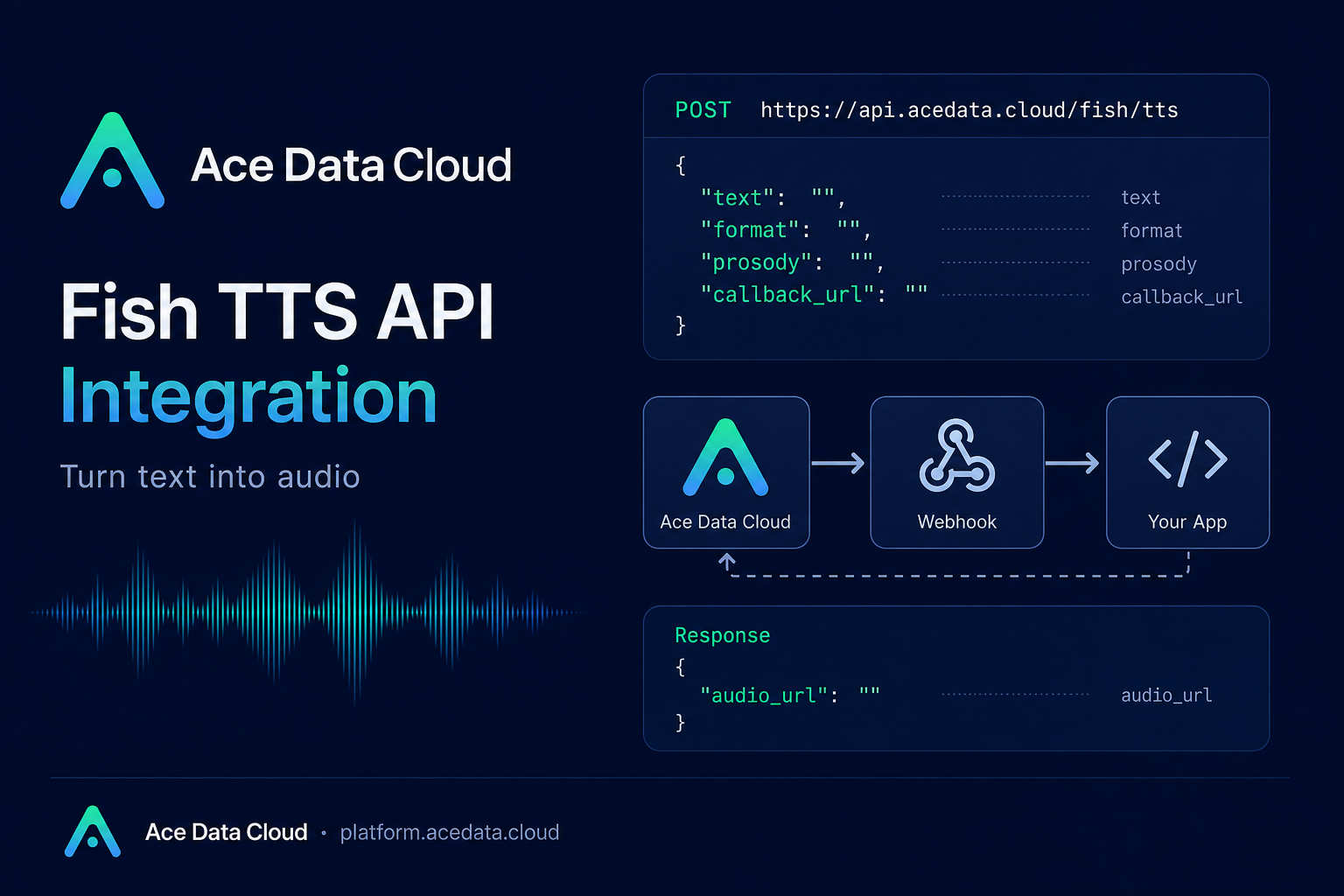
Text-to-speech looks simple until you have to ship it: you need a voice, an output format, stable files, and a way to avoid blocking your app while longer audio is being synthesized.
This guide walks through a practical integration pattern for the Fish TTS API through Ace Data Cloud. The goal is not to build a full audio platform; it is to add a small, reliable text-to-audio step to a product, internal tool, agent workflow, or content pipeline.
What you can do
The Fish TTS endpoint turns input text into an audio file and returns an audio_url that can be downloaded with a normal GET request or played in an HTML <audio> element.
- Send plain text and receive an MP3 by default.
- Choose
mp3,wav, orpcmoutput with theformatfield. - Use a cloned voice through
reference_id, or provide inlinereferences. - Adjust delivery with
prosody.speedandprosody.volume. - Use
callback_urlfor asynchronous jobs when synthesis may take longer.
The API address is:
POST https://api.acedata.cloud/fish/ttsHow it works
Authentication is handled with an Ace Data Cloud platform token in the authorization header:
authorization: Bearer {token}
content-type: application/json
The request body follows the Fish TTS structure. The Ace Data Cloud-specific addition is callback_url, which lets you receive a POST callback after the upstream synthesis is complete.
You can also set a model request header. Supported values are s1, s2-pro, and s2.1-pro; if you do not set it, the default is s2-pro. The docs describe s2.1-pro as the latest generation, s2-pro as expressive, and s1 as more stable for long text.
Start with the smallest request
For a first integration, keep the request small: text in, MP3 out. This is also the easiest shape to wrap in a backend route or job queue.
curl -X POST 'https://api.acedata.cloud/fish/tts'   -H 'authorization: Bearer {token}'   -H 'content-type: application/json'   -d '{
    "text": "Hello world.",
    "format": "mp3"
  }'
A successful response returns an audio_url:
{
  "audio_url": "https://platform2.cdn.acedata.cloud/fish/e2ffcc06-18da-4a8c-b9aa-9337d0f9ec1d.mp3"
}
In a web app, you can store that URL with the generated message, narration segment, or lesson item. The URL points to platform CDN storage, but for production workflows it is still sensible to copy important outputs into your own storage layer.
Control audio format and delivery
The format field supports mp3, wav, and pcm. Both wav and pcm return a WAV container, and pcm is useful when you expect to stitch, mix, or further process audio on the client or server. Passing opus is not supported and returns a 400.
For MP3 output, mp3_bitrate can be 64, 128, or 192. You can also pass sample_rate, commonly 16000, 22050, or 44100; for format=mp3, the default sample rate is 44100.
curl -X POST 'https://api.acedata.cloud/fish/tts'   -H 'authorization: Bearer {token}'   -H 'content-type: application/json'   -H 'model: s1'   -d '{
    "text": "high bitrate mp3",
    "format": "mp3",
    "mp3_bitrate": 128
  }'
Tune speech with prosody
Small speed and volume changes can make generated speech fit the surrounding interface. For example, a support bot might speak a little slower, while a short notification can be slightly faster.
curl -X POST 'https://api.acedata.cloud/fish/tts'   -H 'authorization: Bearer {token}'   -H 'content-type: application/json'   -d '{
    "text": "Faster speech with prosody overrides.",
    "prosody": { "speed": 1.2, "volume": 0 },
    "format": "mp3"
  }'
speed above 1 makes speech faster, below 1 makes it slower. volume is measured in dB; 0 means no change, positive values add gain, and negative values attenuate.
Use callbacks for longer synthesis jobs
If the text is long, synthesis can take several seconds or more. Instead of holding an HTTP request open, send a callback_url. The API immediately returns task_id and started_at; later, your callback endpoint receives the same task_id and the final audio_url.
curl -X POST 'https://api.acedata.cloud/fish/tts'   -H 'authorization: Bearer {token}'   -H 'content-type: application/json'   -d '{
    "text": "The weather is really nice today, let's go for a walk together.",
    "format": "mp3",
    "callback_url": "https://webhook.site/4815f79f-a40f-4078-ac85-1cc126b6bb34"
  }'
Immediate response:
{
  "task_id": "79d82713-2897-4eeb-9934-e7544d471aa7",
  "started_at": 1778462584.742
}
Later callback payload:
{
  "task_id": "79d82713-2897-4eeb-9934-e7544d471aa7",
  "audio_url": "https://platform2.cdn.acedata.cloud/fish/bd66b8c5-7543-4557-b684-baa72407e336.mp3"
}
Handle failures explicitly
At minimum, handle these cases in your integration: 400 token_mismatched for missing or invalid parameters, 401 invalid_token for bad authentication, 429 too_many_requests for rate limiting, and 500 api_error for internal errors. Validation errors can include the upstream pydantic message in the message field, which is useful when debugging a bad format or empty text.
Where this fits
A good first use case is not “generate every possible voice asset.” It is something smaller: voice previews for an editor, spoken summaries for an agent, audio versions of short lessons, or webhook-based narration jobs in a content pipeline. Start with text and format, add prosody only when the listening experience needs tuning, and move to callback_url once latency becomes part of your product design.
For the complete field list and additional examples, read the Fish TTS API integration documentation.


Comments
Post a Comment