How to Build an Image Generation and Editing Workflow with the Nano Banana Images API
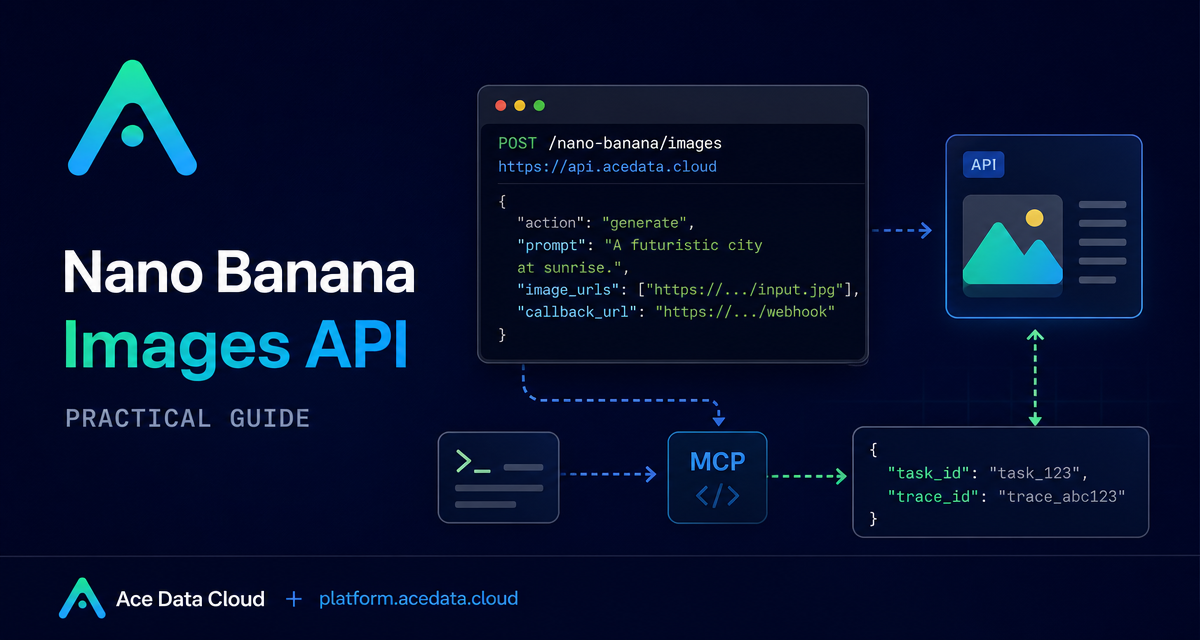
When you wire image generation into a product, the challenge is not just producing one image. It is designing a workflow that handles prompt-only generation, reference-image editing, traceable results, and asynchronous completion without splitting your backend into unrelated code paths.
What you can do
The Nano Banana Images API exposes a single image endpoint for two practical workflows: text-to-image generation and image editing. The documented base URL is https://api.acedata.cloud, and the endpoint is POST /nano-banana/images. You choose the workflow with the action field.
action: generatecreates images from a textprompt.action: editedits or combines existing images usingimage_urlsand aprompt.countrequests 1 to 4 images and defaults to 1.callback_urllets your service receive a POST JSON callback when work completes.
How it works
Requests are JSON. The required fields for generation are action and prompt. Editing also needs image_urls, an array with at least one source image. The docs list optional fields including model, aspect_ratio, resolution, count, and callback_url.
The documented model options are nano-banana, nano-banana-2-lite, nano-banana-2, nano-banana-pro, and corresponding :official variants. nano-banana is the default. One constraint worth encoding in your UI is that nano-banana-2-lite only supports 1K resolution.
Start with a minimal generation request
For a first integration, keep the body small. Choose generate, pass a clear prompt, and request one image. The request uses the documented authorization header with a bearer token, plus accept: application/json and content-type: application/json.
curl -X POST 'https://api.acedata.cloud/nano-banana/images' \
  -H 'accept: application/json' \
  -H 'content-type: application/json' \
  -H 'authorization: Bearer YOUR_API_TOKEN' \
  -d '{
    "action": "generate",
    "model": "nano-banana-pro",
    "prompt": "A clean product mockup on a dark developer desk, soft side lighting, realistic materials, minimal background.",
    "count": 1
  }'
A successful response includes success, task_id, trace_id, and data. Each item in data includes the echoed prompt and an image_url. Store both task_id and trace_id; they are useful for troubleshooting and for correlating your own logs with API results.
Add editing with image_urls
Editing uses the same endpoint. Set action to edit, provide one or more image_urls, and write a prompt that describes the edit. The docs say these inputs can be publicly accessible HTTP or HTTPS URLs, or Base64 encoded images such as data:image/png;base64,....
import requests

url = "https://api.acedata.cloud/nano-banana/images"
headers = {
    "authorization": "Bearer YOUR_API_TOKEN",
    "accept": "application/json",
    "content-type": "application/json",
}
payload = {
    "action": "edit",
    "prompt": "Place the product into a clean studio scene while preserving its shape and material.",
    "image_urls": ["https://example.com/product.png"],
    "count": 1
}
resp = requests.post(url, json=payload, headers=headers)
print(resp.json())
In a production app, validate reference images before you call the API. They should be reachable by the service, stable for the duration of the job, and ideally served over HTTPS.
Use callback_url for asynchronous completion
Image work may take time, so the API supports callback_url. Your callback endpoint must be publicly accessible and support POST JSON. When the task completes, the callback payload has the same structure as the successful synchronous response.
{
  "success": true,
  "task_id": "6a97bf49-df50-4129-9e46-119aa9fca73c",
  "trace_id": "9b4b1ff3-90f2-470f-b082-1061ec2948cc",
  "data": [
    {
      "prompt": "a white siamese cat",
      "image_url": "https://platform.cdn.acedata.cloud/nanobanana/xxxxxxxx-xxxx-xxxx-xxxx-xxxxxxxxxxxx.png"
    }
  ]
}
A solid pattern is to create a database row before the request, save the returned task_id, then update the row with image_url when your webhook receives the completed payload.
Handle errors explicitly
Failure responses include success: false, an error object with code and message, and trace_id. The documented error codes include token_mismatched, api_not_implemented, invalid_token, too_many_requests, and api_error.
For user-facing products, log the full error JSON and keep trace_id. Show users a short, useful message, and treat rate limits or server errors as retryable conditions rather than silent failures.
Where this fits in a real app
A simple architecture is: frontend collects prompt and optional images, backend validates the input and calls /nano-banana/images, database stores task_id and trace_id, and a webhook records the final image_url. This keeps generation and editing in one flow while still giving you enough metadata to debug and improve the experience.
For the complete field list and examples, see the official Nano Banana Images API documentation.


Comments
Post a Comment