How to Add Image Generation and Editing to Claude Code with NanoBanana MCP
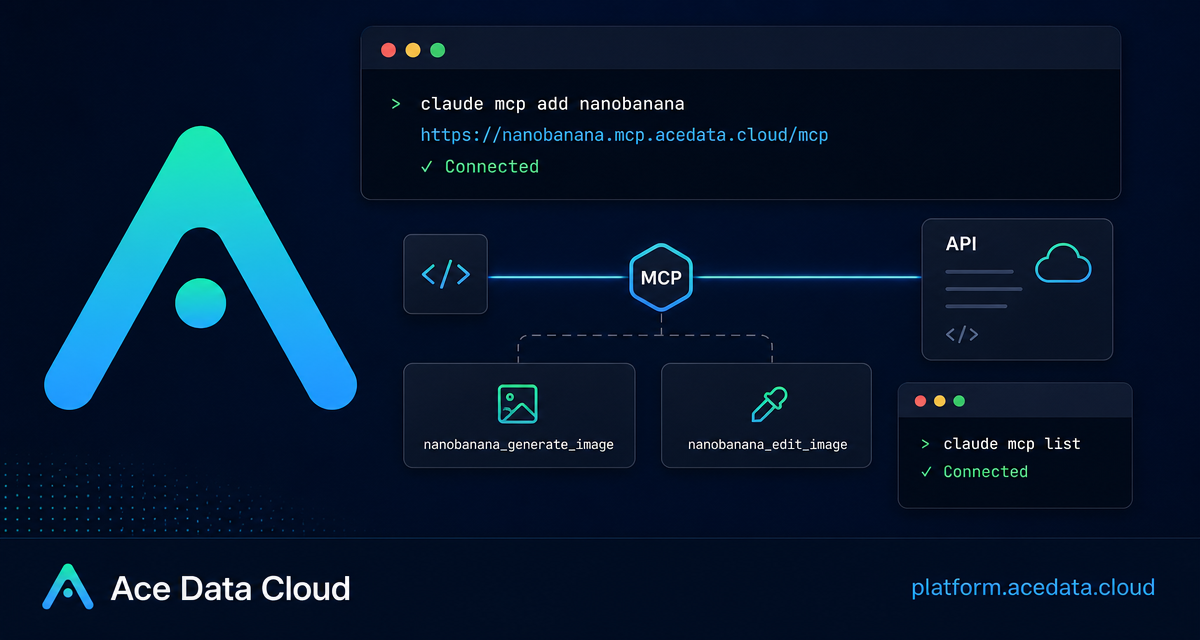
If your image workflow starts in a terminal but ends in a pile of browser tabs, an MCP server is a cleaner way to keep the loop inside your coding session. This guide shows how to connect Claude Code to NanoBanana MCP so you can generate images, edit existing assets, and combine multiple image inputs without leaving the command line.
What you can do
NanoBanana MCP is useful when you want Claude Code to act as a practical image assistant during development work. According to the Ace Data Cloud documentation, the server exposes two tools:
nanobanana_generate_imagefor text-to-image generation.nanobanana_edit_imagefor image editing, including multi-image input.
The interesting part is not just that it can create images. The documented use cases focus on image understanding: placing an object from one image into the scene of another, removing unwanted text from an image, or generating a page illustration for something like a 404 screen. That makes it a good fit for builders who need quick visual iterations while already working in Claude Code.
How it works
The connection is made through Claude Code's MCP support. You add a remote HTTP MCP server named nanobanana, point it at https://nanobanana.mcp.acedata.cloud/mcp, and pass an Ace Data Cloud API token as an authorization header. After that, Claude Code can discover the NanoBanana tools and call them from natural-language instructions inside a session.
The document notes that NanoBanana is based on Google's Gemini model and emphasizes image comprehension. In practical terms, that means your prompt can describe relationships between images instead of only asking for a brand-new picture. For example, you can ask it to move the phone from one input image onto the desk in another input image and adjust angle and lighting so the result looks natural.
Step 1: Add the MCP server to Claude Code
Start from a terminal where the claude command is available. Replace YOUR_TOKEN with your Ace Data Cloud API token. The documentation is explicit that -H must be uppercase because lowercase -h means help, not a header parameter.
claude mcp add nanobanana --transport http https://nanobanana.mcp.acedata.cloud/mcp -H "Authorization: Bearer YOUR_TOKEN"By default, if you do not pass -s, Claude Code uses the local scope. That means the server is only effective in the current project directory. For a personal setup across projects, use -s user. For a team-shared project configuration, use -s project, which writes the configuration to .mcp.json in the project root.
claude mcp add nanobanana -s user --transport http https://nanobanana.mcp.acedata.cloud/mcp -H "Authorization: Bearer YOUR_TOKEN"If you choose -s project, be careful with secrets. The documentation recommends using environment-variable placeholders rather than committing real tokens to public repositories.
Step 2: Verify the connection
After adding the server, list configured MCP servers:
claude mcp listThe expected result is that nanobanana appears as ✓ Connected. If it does not, check three things first: the server URL, the uppercase -H header flag, and whether the token was copied correctly into the authorization header.
Step 3: Use it for real builder tasks
Once connected, you do not need to remember the exact tool invocation every time. You can describe the job in Claude Code and let the assistant choose the NanoBanana tool. Here are practical prompts grounded in the documented examples:
Compose two product images
Use this when you have an object image and a scene image:
Put the phone from the first image onto the desk in the second image, adjusting angle and lighting to make it look natural.This is the kind of task where nanobanana_edit_image is more useful than plain generation because it can work with multiple image URLs as input.
Clean up a screenshot
For UI mockups, docs, or internal demos, you may need to remove distracting text:
Edit this image to remove the text watermark in the bottom right corner, filling the background.The value here is speed. Instead of exporting the image, opening a separate editor, and manually painting over the region, you keep the request inside the same coding conversation.
Create a small page illustration
For placeholder states, error pages, and internal tools, generation can be enough:
Generate an illustration of a small dinosaur crouching next to a crack in the ground looking down, for use on a 404 page.That request maps naturally to nanobanana_generate_image.
A few implementation notes
localscope is best for testing inside one project directory.userscope is convenient if you want NanoBanana available across your projects.projectscope is useful for teams, but do not commit real tokens.- Use
claude mcp listafter changes so you know whether Claude Code can actually reach the server.
Wrapping up
The practical win is a shorter feedback loop: image generation, image editing, and multi-image composition become part of the same terminal workflow where you already plan, code, and review changes. If you want the original setup reference, read the Ace Data Cloud documentation for Claude Code integration with NanoBanana MCP.


Comments
Post a Comment