How to Add Fish TTS to an App with Ace Data Cloud
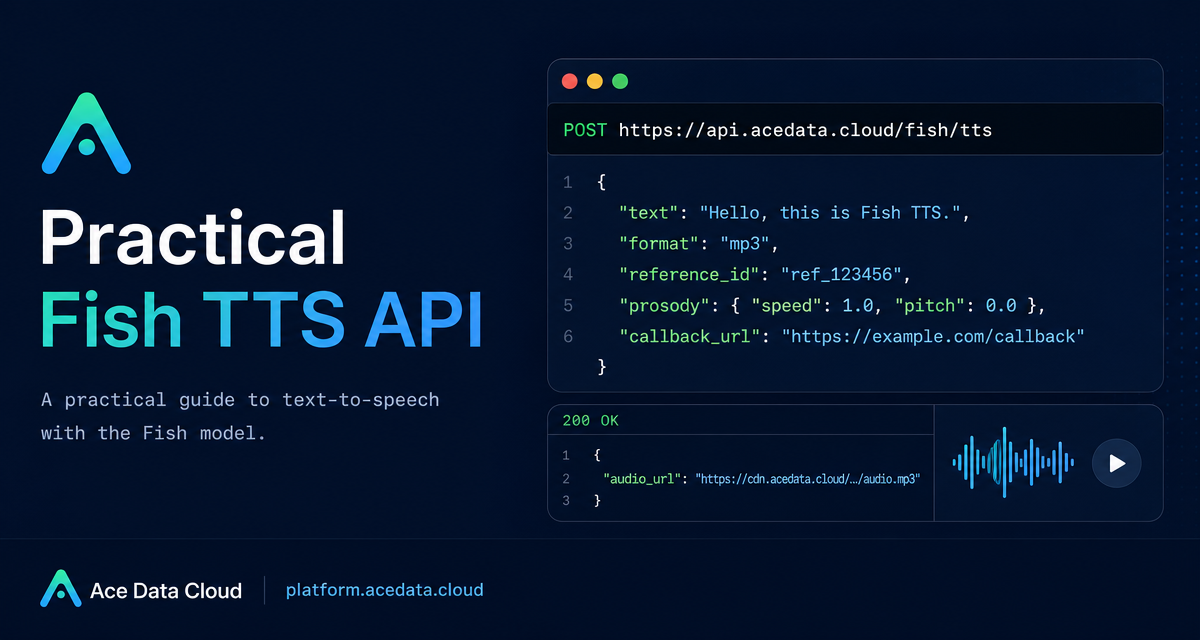
If your product needs spoken output, the hard part is rarely the first audio file; it is choosing the right request shape, handling long text safely, and keeping the integration simple enough to maintain.
What you can do
The Fish TTS endpoint on Ace Data Cloud gives you a direct HTTP interface for turning text into audio. The documented endpoint is POST https://api.acedata.cloud/fish/tts. It accepts a JSON body, authenticates with a platform token, and returns an audio_url for synchronous requests.
The useful thing for builders is that the request body keeps the same field naming as the upstream Fish Audio TTS API, with one Ace Data Cloud extension: callback_url for asynchronous completion callbacks. That makes it practical to start small with a single curl request and later add production behavior for longer text.
- Generate
mp3,wav, orpcmoutput. - Use a cloned voice via
reference_id, or provide inlinereferences. - Control delivery details such as
sample_rateandmp3_bitrate. - Adjust speech feel with
prosody.speedandprosody.volume. - Use
callback_urlwhen you do not want a request to block while longer synthesis runs.
How it works
Every request needs two headers: authorization: Bearer {token} and content-type: application/json. The optional accept header may be application/json. You can also pass a model header. The documented model options are s1, s2-pro, and s2.1-pro, with s2-pro as the default.
The minimum body is a non-empty text value plus, in practice, an explicit format. The documented output formats are mp3, wav, and pcm. mp3 is the default. The documentation notes that wav and pcm return a WAV container, while opus is not supported and returns 400 if passed.
Start with a minimum request
For a first integration test, keep the request deliberately boring. Send text, ask for mp3, and verify that you receive an audio_url.
curl -X POST 'https://api.acedata.cloud/fish/tts' \
  -H 'authorization: Bearer {token}' \
  -H 'content-type: application/json' \
  -d '{
    "text": "Hello world.",
    "format": "mp3"
  }'
A successful synchronous response is shaped like this:
{
  "audio_url": "https://platform2.cdn.acedata.cloud/fish/e2ffcc06-18da-4a8c-b9aa-9337d0f9ec1d.mp3"
}
That URL points to a CDN-hosted audio file. In an app, you can hand it to an HTML <audio> element, download it server-side, or store a copy in your own asset pipeline.
Use voice references when you need a specific voice
When your product needs a consistent speaker, the request body supports reference_id. It can be a string or an array of strings. The documentation also supports inline references, structured like the upstream API, where each item contains audio and text. One of reference_id or references must be provided for cloned-voice use cases.
curl -X POST 'https://api.acedata.cloud/fish/tts' \
  -H 'authorization: Bearer {token}' \
  -H 'content-type: application/json' \
  -d '{
    "text": "Hermanos míos, hoy es un buen día.",
    "reference_id": "8d2c17a9b26d4d83888ea67a1ee565b2",
    "format": "mp3"
  }'
This is a good pattern for localized product narrations, generated lesson audio, or tools that need to preserve a particular voice across many short clips.
Tune the audio output
For many applications, the default output is enough. When you need more control, the documented body fields cover common knobs. sample_rate commonly uses 16000, 22050, or 44100. For format=mp3, mp3_bitrate can be 64, 128, or 192.
The prosody object supports speed and volume. A speed greater than 1 makes speech faster; less than 1 slows it down. volume is measured in dB, where 0 means no change.
curl -X POST 'https://api.acedata.cloud/fish/tts' \
  -H 'authorization: Bearer {token}' \
  -H 'content-type: application/json' \
  -d '{
    "text": "Faster speech with prosody overrides.",
    "prosody": { "speed": 1.2, "volume": 0 },
    "format": "mp3"
  }'
You can also switch the model through the model header. For example, the documentation shows model: s1 together with mp3_bitrate: 128:
curl -X POST 'https://api.acedata.cloud/fish/tts' \
  -H 'authorization: Bearer {token}' \
  -H 'content-type: application/json' \
  -H 'model: s1' \
  -d '{
    "text": "high bitrate mp3",
    "format": "mp3",
    "mp3_bitrate": 128
  }'
Handle longer text with callbacks
Longer synthesis can take several seconds or more. Instead of keeping one HTTP request open and hoping the client connection survives, pass callback_url. The endpoint immediately returns a task_id and started_at. Later, it sends a POST JSON callback carrying the same task_id and the completed audio_url.
curl -X POST 'https://api.acedata.cloud/fish/tts' \
  -H 'authorization: Bearer {token}' \
  -H 'content-type: application/json' \
  -d '{
    "text": "The weather is really nice today, let us go for a walk together.",
    "format": "mp3",
    "callback_url": "https://webhook.site/4815f79f-a40f-4078-ac85-1cc126b6bb34"
  }'
The immediate response looks like this:
{
  "task_id": "79d82713-2897-4eeb-9934-e7544d471aa7",
  "started_at": 1778462584.742
}
And the callback body later looks like this:
{
  "task_id": "79d82713-2897-4eeb-9934-e7544d471aa7",
  "audio_url": "https://platform2.cdn.acedata.cloud/fish/bd66b8c5-7543-4557-b684-baa72407e336.mp3"
}
Error handling to build around
The documented errors are straightforward: 400 token_mismatched for missing or invalid parameters, 401 invalid_token for authentication problems, 429 too_many_requests for account rate limits, and 500 api_error for internal server errors. Validation failures may include the original upstream pydantic-style message in the response, which is useful when a field value is wrong.
A practical production wrapper should validate text before sending, restrict format to mp3, wav, or pcm, and treat callback processing as idempotent by keying your database updates on task_id.
That is enough to turn TTS from a demo into a maintainable product feature: start with the synchronous audio_url path, add voice references when your UX needs a stable speaker, and move long jobs to callback_url when reliability matters. For the full field list and examples, see the Fish TTS API Integration Guide.


Comments
Post a Comment