Getting Started with AceKit: A Practical Guide to Giving Coding Agents API Skills
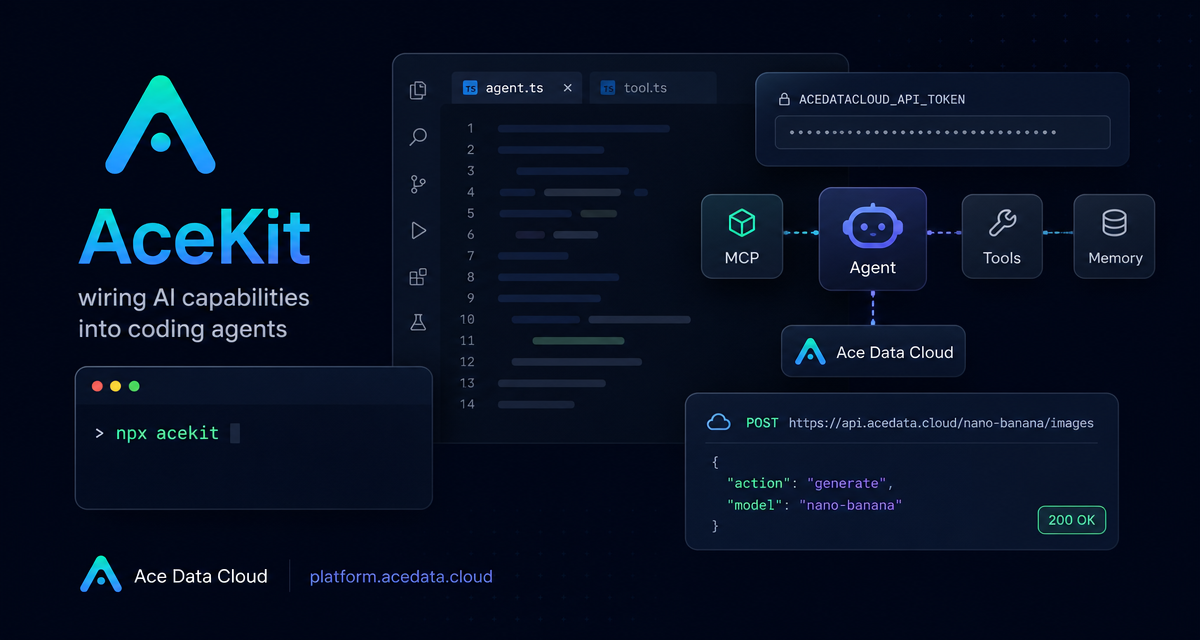
Coding agents are useful until they need to step outside the repository: generate a README cover, make a short demo video, create background music, search the web, or call a model through a unified API. AceKit is a small installer that wires Ace Data Cloud skills into supported coding agents so those tasks can be requested in plain language instead of hand-built one API at a time.
What you can do
AceKit installs a skill toolkit for agents such as Claude Code, Codex CLI, Cursor, Gemini, and OpenCode. After installation, the agent can follow the installed SKILL.md instructions to authenticate, call the relevant capability, and handle asynchronous polling when needed.
The documented skill list includes:
- Image skills such as
midjourney-image,flux-image,seedream-image, andnano-banana-image. - Video skills such as
sora-video,veo-video,kling-video,luma-video,hailuo-video,seedance-video, andwan-video. - Audio and music skills such as
suno-music,producer-music, andfish-audio. - Utility and retrieval skills including
google-search,short-url,ai-chat, andface-transform.
The important shift is not that you get one more CLI command. It is that your agent receives written operational instructions for real capabilities: which endpoint to call, how to pass a token, when to poll, and what to return to the user.
How it works
The setup has three moving parts. First, you provide one Ace Data Cloud API token. Second, AceKit detects compatible coding agents on the machine. Third, it installs the skill files into the agent’s skill directory.
The documented install command is:
npx acekitIf the token is not already configured, the first run prompts for it interactively. For unattended setup, pre-set the environment variable:
export ACEDATACLOUD_API_TOKEN=your_token
npx acekit
According to the document, Claude Code uses ~/.claude/skills. Codex CLI uses ~/.agents/skills. Cursor, Gemini, OpenCode, and similar agents can point to ~/.agents/skills.
Install and verify the available skills
After running npx acekit, reload your coding agent. The document notes that the current list can be inspected with:
npx acekit listA practical smoke test is to start with a synchronous tool. For example, ask your agent:
Use the short-url skill to shorten https://platform.acedata.cloud/servicesBehind the scenes, that maps to a simple authenticated HTTP call:
curl -X POST https://api.acedata.cloud/shorturl -H "Authorization: Bearer $KEY" -H "Content-Type: application/json" -d '{"content":"https://platform.acedata.cloud/services"}'The key field here is content, which contains the long URL. This is a good first test because it is synchronous and should return immediately.
Use web search without leaving the editor
One common builder workflow is checking fresh facts while editing code or docs. AceKit’s search capability is represented in the document by the /serp/google endpoint:
curl -X POST https://api.acedata.cloud/serp/google -H "Authorization: Bearer $KEY" -H "Content-Type: application/json" -d '{"query":"OpenAI Sora release date","type":"search","number":3}'The request uses query for the search phrase, type for the result category, and number for the result count. In agent form, you do not need to remember the endpoint every time; the installed skill gives the agent the pattern to follow.
Call chat models through a unified interface
AceKit also exposes an LLM conversation path through the OpenAI-compatible /v1/chat/completions endpoint. The document’s example uses model and messages:
curl -X POST https://api.acedata.cloud/v1/chat/completions -H "Authorization: Bearer $KEY" -H "Content-Type: application/json" -d '{"model":"gpt-4.1-mini","messages":[{"role":"user","content":"Explain MCP in one sentence"}]}'This is useful when you want the same agent workflow to call a model directly, summarize tool output, or generate a short explanation after another API call finishes.
Generate images with asynchronous polling
Image generation is a better test of the agent workflow because it is asynchronous. The document shows /nano-banana/images with action, model, and prompt:
curl -X POST https://api.acedata.cloud/nano-banana/images   -H "Authorization: Bearer $KEY"   -H "Content-Type: application/json"   -d '{"action":"generate","model":"nano-banana",
       "prompt":"a cute cartoon banana mascot waving hello, flat vector logo, white background"}'
This is where skills are especially helpful. A human would need to write the request, wait, poll, inspect the returned media URL, and then decide how to present it. An agent with the relevant skill can perform that sequence as a workflow.
Use the same token with Claude Code
The document also notes that Ace Data Cloud supports Anthropic’s /v1/messages format. For Claude Code, the documented project-local configuration is a .claude/settings.local.json file:
{
  "env": {
    "ANTHROPIC_AUTH_TOKEN": "your token",
    "ANTHROPIC_BASE_URL": "https://api.acedata.cloud"
  }
}
Restart Claude Code after saving the file. This keeps the agent’s model access and its media/search/tool skills behind the same platform token, which is simpler to reason about than juggling separate keys for every capability.
Where AceKit fits
AceKit is best viewed as a bridge between coding agents and task-oriented APIs. You can still call the raw endpoints yourself when you need tight control, but for day-to-day builder work—creating assets, shortening links, checking web results, or running a quick model call—the skill layer removes the glue code and lets the agent operate from clear instructions.
Read the full AceKit documentation here: AceKit Toolkit.


Comments
Post a Comment