A Practical Guide to Adding Remote MCP Servers to Claude Code
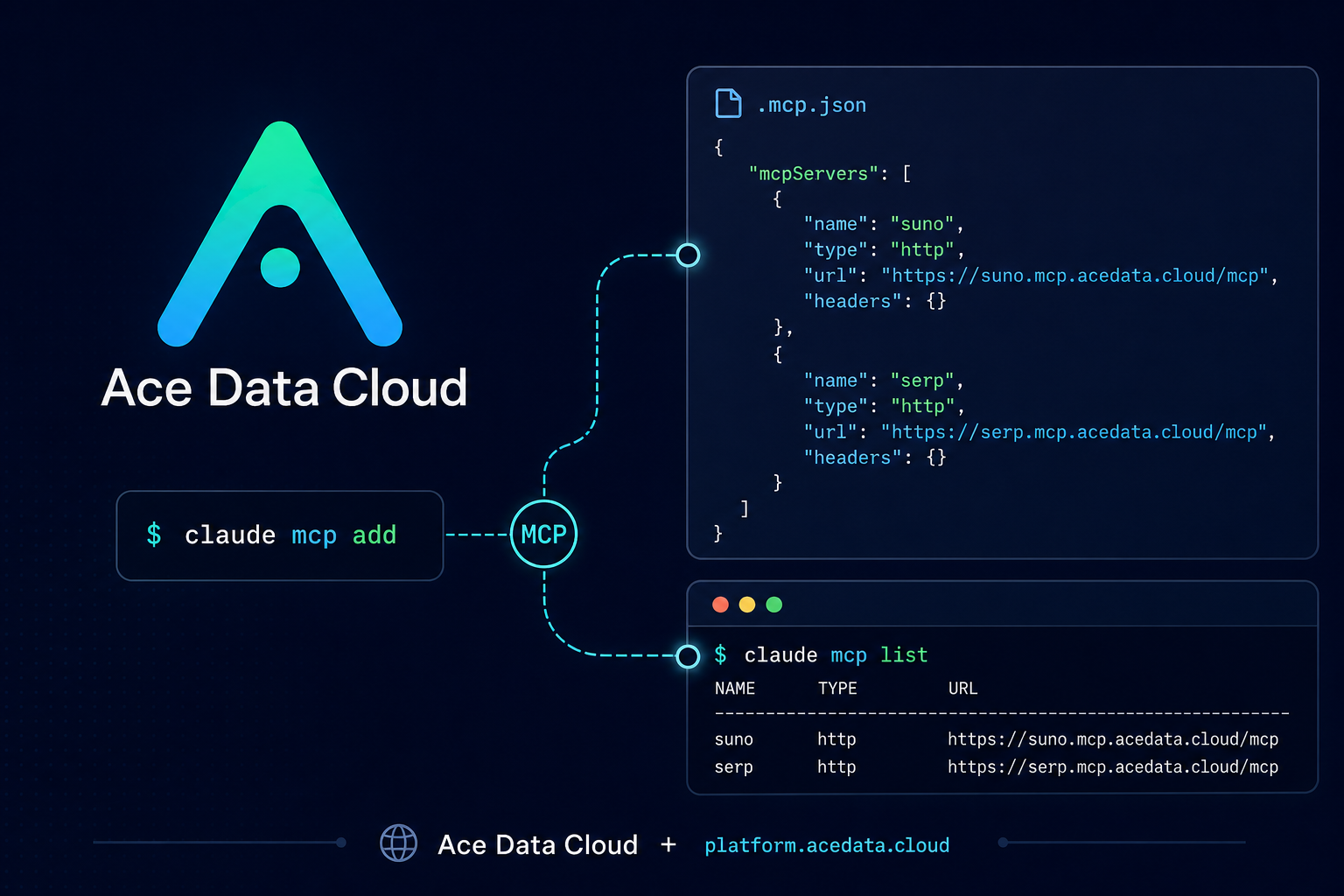
Claude Code is already useful as a terminal-based coding assistant, but the real shift happens when it can call tools while you work: search the web, generate assets, prepare media, or shorten release links without leaving the project context.
What you can do
The Ace Data Cloud MCP overview documents a set of managed remote MCP servers that Claude Code can connect to over HTTP. The practical idea is simple: keep Claude Code in your terminal, then add external capabilities as named MCP servers.
From the documented configuration, you can connect services such as:
- Suno for music workflows at
https://suno.mcp.acedata.cloud/mcp - Midjourney, Flux, Seedream, and NanoBanana for image and editing workflows
- Luma, Veo, and Seedance for video workflows
- Serp for search at
https://serp.mcp.acedata.cloud/mcp - ShortURL for link shortening at
https://shorturl.mcp.acedata.cloud/mcp
That makes the setup useful for builder tasks: preparing a README with a generated hero image, researching technical topics before drafting a blog outline, creating background music for a tutorial, or producing multiple launch assets from one terminal session.
How it works
Claude Code accepts MCP servers as named connections. In this documentation, each server is a remote HTTP endpoint. The request configuration is made from three pieces:
type: set tohttpurl: the remote MCP URL, for examplehttps://serp.mcp.acedata.cloud/mcpheaders: an authorization header usingAuthorization: Bearer YOUR_API_TOKEN
The same token can be used across the documented Ace Data Cloud MCP servers. The important operational detail is that the token is part of the MCP client configuration, so treat it like any other developer secret.
Method 1: Add only the tools you need
The fastest path is to add individual servers with claude mcp add. The documentation notes two small gotchas that are easy to miss: -H must be uppercase, and without -s the default scope is local to the current directory.
# Add web search to Claude Code
claude mcp add serp --transport http https://serp.mcp.acedata.cloud/mcp   -H "Authorization: Bearer YOUR_API_TOKEN"

# Add music generation workflows
claude mcp add suno --transport http https://suno.mcp.acedata.cloud/mcp   -H "Authorization: Bearer YOUR_API_TOKEN"

# Confirm what Claude Code can see
claude mcp list
If you want the connection available across all projects, add -s user. If you want a project-level configuration, use a project setup instead of scattering machine-specific commands across your team.
Method 2: Use a project .mcp.json
For a repository workflow, a .mcp.json file in the project root makes the connection model explicit. The documented shape is a top-level mcpServers object where each server has type, url, and headers.
{
  "mcpServers": {
    "serp": {
      "type": "http",
      "url": "https://serp.mcp.acedata.cloud/mcp",
      "headers": {
        "Authorization": "Bearer YOUR_API_TOKEN"
      }
    },
    "shorturl": {
      "type": "http",
      "url": "https://shorturl.mcp.acedata.cloud/mcp",
      "headers": {
        "Authorization": "Bearer YOUR_API_TOKEN"
      }
    }
  }
}
For private repositories this is convenient, but do not commit real tokens. The source document explicitly recommends adding .mcp.json to .gitignore, asking team members to fill in their own tokens, or using environment-variable placeholders.
A builder workflow: research, draft, and package assets
A useful first workflow is technical research plus content preparation. After adding serp, an image server such as flux or seedream, and shorturl, you can ask Claude Code to search current references, draft an outline, generate a blog illustration, and shorten the final links. The value is not that any single tool is new; it is that the sequence happens where your notes, code, and release files already live.
For example, a practical prompt might be:
Use Google Search to find recent AI video generation trends.
Turn the findings into a technical blog outline.
Generate one illustration for the article.
Shorten the key reference link for release notes.
The overview describes this exact style of chained workflow: Claude Code calls the relevant MCP servers in sequence and returns links after each step.
Where the configuration lives
When using claude mcp add, the FAQ states that the token is stored locally in ~/.claude.json on macOS/Linux or %USERPROFILE%\.claude.json on Windows. Project-level .mcp.json takes priority over the global configuration, which is useful when a repository needs a shared set of tool names while each developer keeps personal credentials outside the repo.
If a server does not appear to work, start with claude mcp list. Then remove and re-add the server with the documented claude mcp add command, checking that the URL, transport, and uppercase -H header are correct.
Wrap-up
Remote MCP servers are most useful when they remove context switching. Start small: add one server, verify it with claude mcp list, then fold it into a workflow you already run every week. Once that feels stable, move the configuration into a project-level pattern your team can understand and safely reproduce.
Read the full Ace Data Cloud documentation here: Claude Code MCP Overview.


Comments
Post a Comment