How to Wire Claude Code into GitHub Actions with Ace Data Cloud
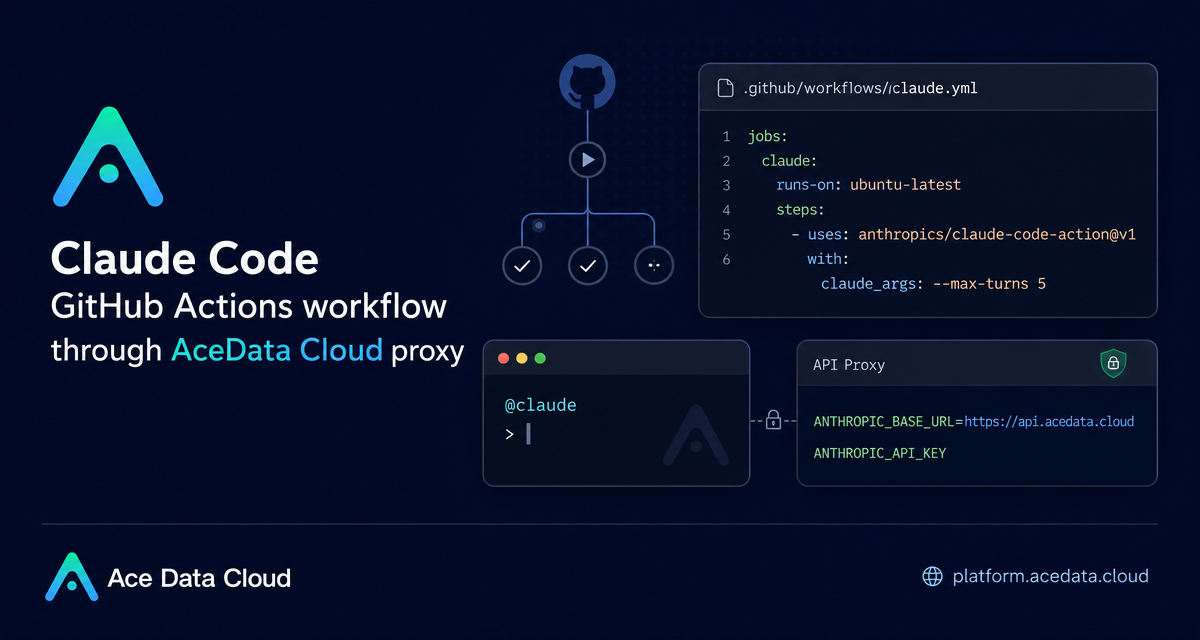
Code review and small implementation tasks often get stuck between an issue, a pull request, and someone finding time to read the surrounding code. Claude Code GitHub Actions gives you a practical way to bring an agentic coding assistant into that loop: comment @claude on an Issue or PR, or run it automatically from a workflow.
What you can do
With the GitHub Actions integration, Claude Code can participate in common repository workflows without requiring a developer to leave GitHub. According to the documented setup, it can respond to Issue and PR comments, create pull requests, implement features from an Issue, help fix bugs, and review code when a pull request is opened or updated.
The useful part for builders is not the novelty of an AI comment bot; it is that the behavior is controlled by the same primitives you already use in CI: a GitHub App, repository secrets, workflow triggers, environment variables, and YAML configuration.
- Use
@claudein an Issue or PR comment to ask for implementation or review help. - Store the Ace Data Cloud API token as
ANTHROPIC_API_KEYin GitHub Actions secrets. - Route requests through
ANTHROPIC_BASE_URLset tohttps://api.acedata.cloud. - Constrain runs with parameters such as
prompt,claude_args, and--max-turns.
How it works
The integration has three moving parts. First, the Claude GitHub App must be installed on the repository. The documented permissions are Contents with read and write access, Issues with read and write access, and Pull requests with read and write access. Those permissions are what allow the action to read context, respond to Issues, create PRs, and push changes.
Second, the repository needs a secret named ANTHROPIC_API_KEY. In this setup, the value is the API token copied from the Ace Data Cloud console. The token should never be written directly into a workflow file.
Third, the repository contains a workflow file such as .github/workflows/claude.yml. The workflow uses anthropics/claude-code-action@v1 and passes the secret through the anthropic_api_key input. If you want to use Ace Data Cloud's proxy endpoint, add ANTHROPIC_BASE_URL in the action environment.
Start with comment-driven automation
The lowest-risk configuration is to let Claude Code respond only when someone explicitly mentions it. That keeps the workflow predictable and avoids unnecessary runs. A minimal workflow can listen for newly created Issue comments and pull request review comments:
name: Claude Code
on:
  issue_comment:
    types: [created]
  pull_request_review_comment:
    types: [created]

jobs:
  claude:
    runs-on: ubuntu-latest
    steps:
      - uses: anthropics/claude-code-action@v1
        with:
          anthropic_api_key: ${{ secrets.ANTHROPIC_API_KEY }}
        env:
          ANTHROPIC_BASE_URL: "https://api.acedata.cloud"
Once that is merged, a maintainer can ask targeted questions in GitHub:
@claude Implement the functionality based on the description of this Issue
@claude Review the code safety of this PR
@claude Fix the TypeError in the user dashboard component
@claude How should user authentication for this endpoint be implemented?
These prompts work best when the Issue or PR already contains enough context: expected behavior, failing cases, affected files, and acceptance criteria.
Add automatic PR review when it is useful
For teams that want a consistent first pass on every pull request, the workflow can run when a PR is opened or synchronized. The documented example uses the prompt input with /review and limits the run using claude_args.
name: Code Review
on:
  pull_request:
    types: [opened, synchronize]

jobs:
  review:
    runs-on: ubuntu-latest
    steps:
      - uses: anthropics/claude-code-action@v1
        with:
          anthropic_api_key: ${{ secrets.ANTHROPIC_API_KEY }}
          prompt: "/review"
          claude_args: "--max-turns 5"
        env:
          ANTHROPIC_BASE_URL: "https://api.acedata.cloud"
This is a good fit for catching obvious problems, asking for clarification, and pointing reviewers to risky changes. It should not replace human review before merging. The documentation explicitly recommends manually reviewing Claude's suggestions before merge.
Use CLAUDE.md as your repository contract
One small file can make a large difference: CLAUDE.md. Put it in the repository root and use it to describe coding style, review standards, project conventions, and any patterns that should be preserved. The action is documented to read CLAUDE.md automatically so it can follow project standards.
For example, a backend repository might define how migrations are named, where tests should live, how errors are returned, and which modules should not be touched without discussion. A frontend repository might define component structure, accessibility rules, and how state should be managed.
Control scope and cost with explicit arguments
The action supports several parameters that are useful for keeping automation bounded. The documented inputs include anthropic_api_key, prompt, claude_args, github_token, and trigger_phrase. The common CLI arguments include --max-turns, --model, --mcp-config, --allowed-tools, and --debug.
A practical default is to start with a small turn limit:
claude_args: "--max-turns 5 --model claude-sonnet-4-5-20250929"If the action is not responding, check the basics in order: confirm that the Claude GitHub App is installed, the workflow is enabled, the secret is named exactly ANTHROPIC_API_KEY, and the comment uses @claude rather than /claude. If authentication fails, verify the API key and confirm that ANTHROPIC_BASE_URL is set correctly when using the proxy endpoint.
Where to go from here
Start with comment-triggered runs in one repository, add a concise CLAUDE.md, and only then enable automatic PR review if the signal is useful. The setup is just GitHub Actions YAML, so it is easy to review, version, and roll back like any other CI change.
For the complete source configuration and parameter reference, read the Claude Code GitHub Actions Integration Guide.


Comments
Post a Comment