How to Build a Simple Image Generation and Editing Workflow with the Nano Banana Images API
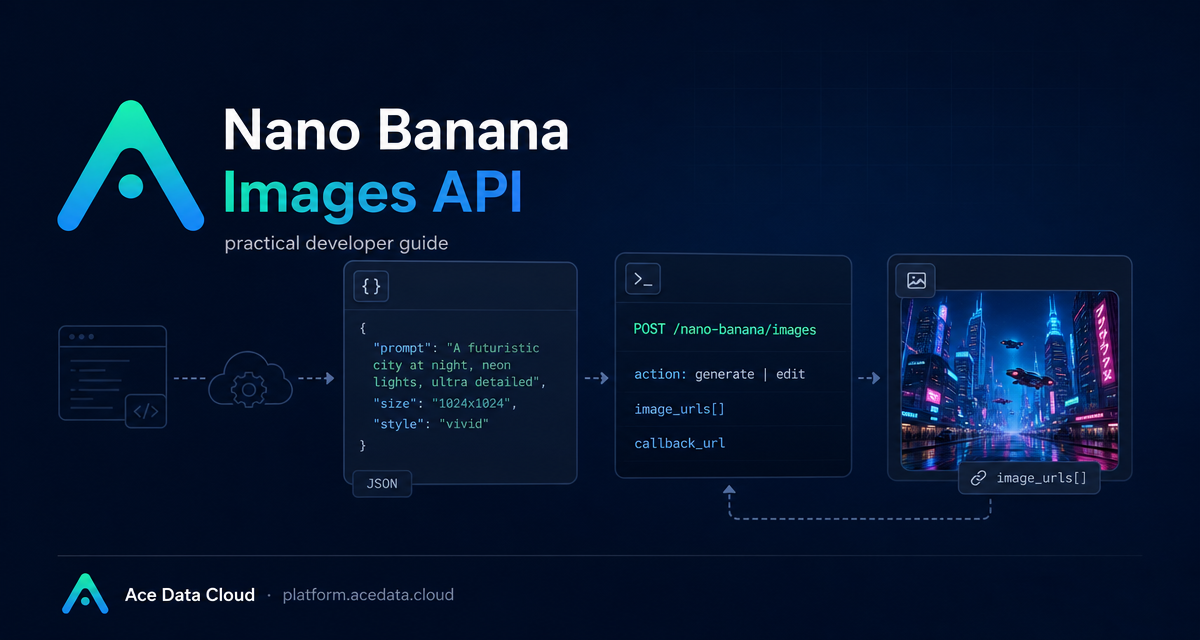
Most image features start the same way: a user gives you a prompt, your app needs a reliable image result, and sooner or later someone asks, “Can we edit an existing image too?” The Nano Banana Images API is useful because it keeps both paths—text-to-image generation and image-guided editing—behind one endpoint with one request shape.
What you can do
The API supports two actions through POST /nano-banana/images on the base URL https://api.acedata.cloud:
generate: create images from a textprompt.edit: provide one or more source images inimage_urls, then describe the desired change with aprompt.
That makes it a practical fit for product mockups, thumbnail experiments, creative tooling, content pipelines, and internal design helpers where you want a single integration rather than separate generation and editing services.
How it works
Every request goes to:
POST https://api.acedata.cloud/nano-banana/imagesThe request uses JSON and requires an API token in the HTTP header:
authorization: Bearer {token}accept: application/jsoncontent-type: application/json
The minimum required body fields are action and prompt. For editing, you also pass image_urls, an array with at least one publicly accessible image URL. Image inputs can be HTTP or HTTPS links, or Base64 data URLs.
Choosing an action and model
For a new image, set action to generate. For a transformation based on existing assets, set action to edit. The optional model field defaults to nano-banana, and the documented options include nano-banana, nano-banana-2-lite, nano-banana-2, nano-banana-pro, plus corresponding :official channel versions.
There are a few practical differences to keep in mind. nano-banana-2-lite supports only 1K resolution. The API also accepts optional aspect_ratio values such as 1:1 or 16:9, and optional resolution values such as 1K, 2K, or 4K.
A minimal generation request
Here is a compact cURL call for a generation workflow. In a real app, keep the token on the server side and never expose it to the browser.
curl -X POST 'https://api.acedata.cloud/nano-banana/images' \
  -H 'authorization: Bearer {token}' \
  -H 'accept: application/json' \
  -H 'content-type: application/json' \
  -d '{
    "action": "generate",
    "model": "nano-banana-pro",
    "prompt": "A clean product-style image of a developer desk with a laptop showing an API workflow, deep navy lighting, realistic but minimal.",
    "count": 1
  }'
The successful response contains success, task_id, trace_id, and a data array. Each item in data includes the echoed prompt and an image_url:
{
  "success": true,
  "task_id": "70e6931b-6e34-43db-9e36-8765e2809d04",
  "trace_id": "60df8d38-f265-4986-aec7-75c9220bced2",
  "data": [{"prompt": "...", "image_url": "https://platform2.cdn.acedata.cloud/nanobanana/...png"}]
}
Editing with source images
The editing flow uses the same endpoint but adds image_urls. This is useful when you want to combine assets, preserve a subject, or apply a specific visual change.
import requests
url = "https://api.acedata.cloud/nano-banana/images"
headers = {"authorization": "Bearer {token}", "accept": "application/json", "content-type": "application/json"}
payload = {"action": "edit", "prompt": "let this man wear on this T-shirt", "image_urls": ["https://cdn.acedata.cloud/v8073y.png", "https://cdn.acedata.cloud/44xlah.png"], "count": 1}
resp = requests.post(url, json=payload, headers=headers)
print(resp.json())
The documented count parameter supports 1–4 images and defaults to 1. If some requested images fail, the response only returns successful images in data.
Using callbacks for longer jobs
Image generation and editing can take time, so the API supports an optional callback_url. Add a publicly accessible webhook URL that supports POST JSON. The platform can return a task response immediately, then send the completed JSON payload to your callback when the task finishes. Keep task_id and trace_id in your database so you can associate webhook results with user actions and debug failures later.
Error handling checklist
Plan for the documented error shape:
{"success": false, "error": {"code": "api_error", "message": "Internal server error."}, "trace_id": "2cf86e86-22a4-46e1-ac2f-032c0f2a4e89"}Common codes include token_mismatched, api_not_implemented, invalid_token, too_many_requests, and api_error. In production, log trace_id, show users a retry-safe message, and avoid blindly resubmitting requests after rate-limit or server errors.
Putting it together
A good first implementation is small: start with generate, store task_id, trace_id, prompt, and returned image_url, then add edit once your app has a place to upload or select source images. The nice part is that both workflows share the same endpoint and response pattern, so your integration surface stays compact.
For the full parameter list and examples, read the Nano Banana Images API documentation.


Comments
Post a Comment