How to Build Native Claude Workflows with the Messages API
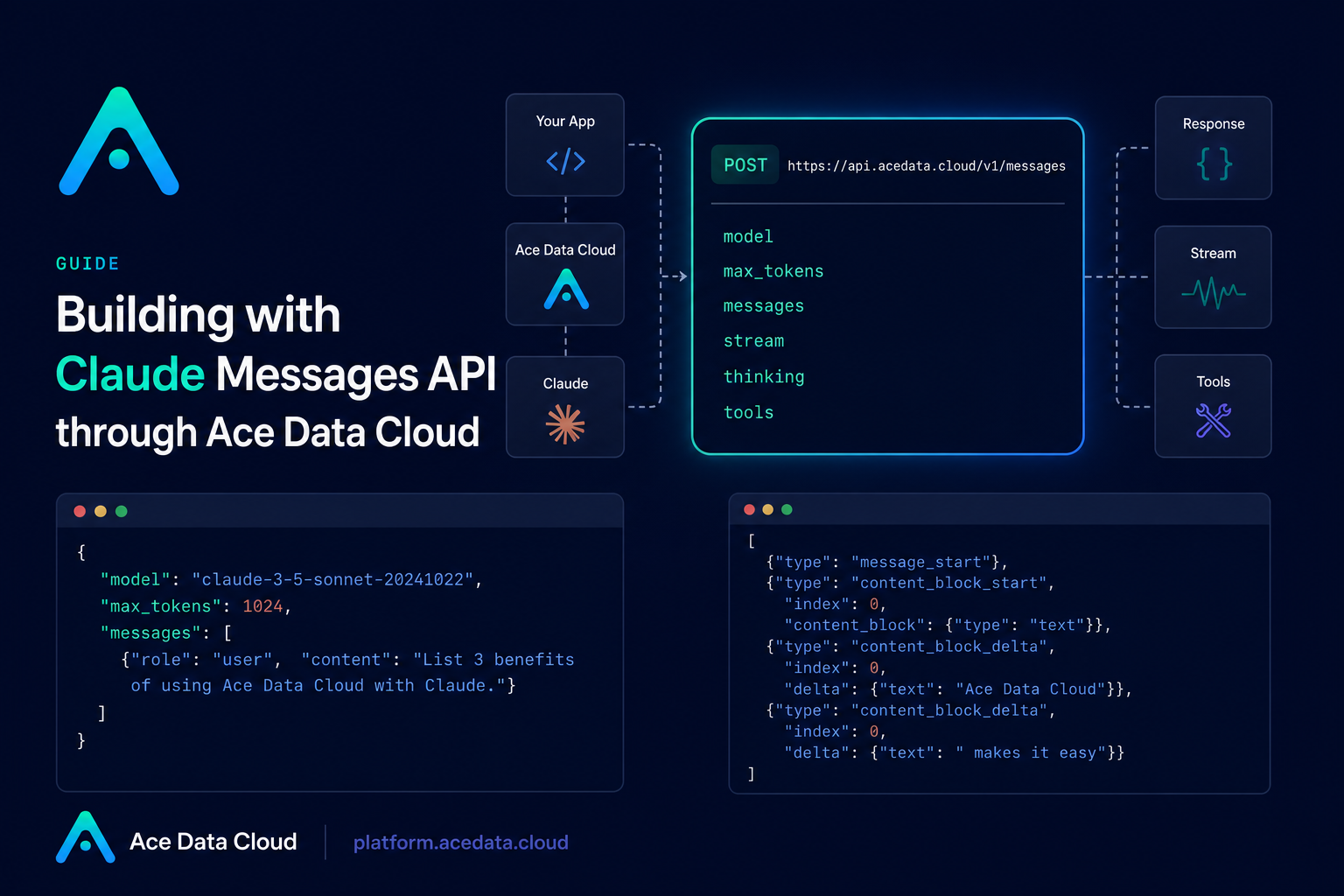
When you are building an assistant, an internal code helper, or a small automation that needs Claude-specific behavior, the first design choice is the API shape. You can use an OpenAI-compatible chat endpoint, but if you want Claude’s native message structure, streaming events, tool use, visual inputs, and extended thinking, the Messages API is the more direct fit.
This guide walks through the practical pieces you need to build against the Ace Data Cloud Claude Messages endpoint without hiding the wire format behind a framework. The goal is simple: send a request, understand the response, add streaming when the UI needs it, and know how to handle tool calls when Claude asks your application to run external logic.
What you can do
The Claude Messages API uses the Anthropic-native request and response format at /v1/messages. In practice, that means you can build:
- single-turn and multi-turn assistants using a
messagesarray withuserandassistantroles; - role-controlled workflows with a top-level
systemprompt; - streaming interfaces by setting
streamtotrueand reading Server-Sent Events; - vision workflows by sending image content blocks with either base64 data or a URL source;
- tool-calling loops using
tools,input_schema,tool_use, andtool_resultblocks; - reasoning-heavy flows with
thinking, wheremax_tokensmust be greater thanbudget_tokens.
How it works
The endpoint is https://api.acedata.cloud/v1/messages. A basic request needs three fields: model, messages, and max_tokens. The documented model examples include claude-sonnet-4-20250514 and claude-opus-4-20250514.
The response is also Anthropic-native. Instead of an OpenAI-style choices array, you get a message object with fields such as id, type, role, content, model, stop_reason, stop_sequence, and usage. The content field is an array, which matters because one response can contain different block types, such as text, thinking, or tool_use.
Start with the smallest possible request
For a first integration test, keep the payload boring. Send one user message, set a reasonable max_tokens, and inspect the returned stop_reason and usage. This is also a good place to verify that your token handling is correct before you build retries, streaming, or tools around it.
curl -X POST 'https://api.acedata.cloud/v1/messages'   -H 'accept: application/json'   -H 'authorization: Bearer {token}'   -H 'content-type: application/json'   -d '{
    "model": "claude-sonnet-4-20250514",
    "max_tokens": 1024,
    "messages": [
      {
        "role": "user",
        "content": "Hello, Claude"
      }
    ]
  }'
A normal response has type set to message, role set to assistant, and stop_reason often set to end_turn. Token accounting is reported under usage.input_tokens and usage.output_tokens.
Add a system prompt when behavior matters
In the Messages API, the system instruction is a top-level system field, not a message with role: "system". That difference is worth keeping explicit in your application model, especially if you also support OpenAI-compatible chat completions elsewhere.
import requests

url = "https://api.acedata.cloud/v1/messages"
headers = {
    "accept": "application/json",
    "authorization": "Bearer {token}",
    "content-type": "application/json",
}
payload = {
    "model": "claude-sonnet-4-20250514",
    "max_tokens": 1024,
    "system": "You are a professional Chinese translation assistant. Please translate the user's input from English to Chinese.",
    "messages": [
        {"role": "user", "content": "The quick brown fox jumps over the lazy dog."}
    ],
}

response = requests.post(url, json=payload, headers=headers)
print(response.json())
This pattern is useful for translation helpers, code review assistants, support triage, or any workflow where the model should keep a stable role across user turns.
Stream responses for interactive UIs
If you are building a web UI or terminal assistant, waiting for the full response makes the product feel slower than it needs to. Set stream to true and read the response as Server-Sent Events. The documented event types include message_start, content_block_start, content_block_delta, content_block_stop, message_delta, and message_stop.
import requests

url = "https://api.acedata.cloud/v1/messages"
headers = {
    "accept": "application/json",
    "authorization": "Bearer {token}",
    "content-type": "application/json",
}
payload = {
    "model": "claude-sonnet-4-20250514",
    "max_tokens": 1024,
    "stream": True,
    "messages": [{"role": "user", "content": "Hello, Claude"}],
}

response = requests.post(url, json=payload, headers=headers, stream=True)
for line in response.iter_lines():
    if line:
        print(line.decode("utf-8"))
For most interfaces, the key event is content_block_delta. Its delta can contain type: "text_delta" and a text fragment. Append those fragments in order to render the live answer.
Use tools as a controlled loop
Tool use is not magic; it is a protocol between your app and the model. You define tools with name, description, and an input_schema. If Claude decides it needs one, the response can include a tool_use content block and stop_reason will be tool_use.
payload = {
    "model": "claude-sonnet-4-20250514",
    "max_tokens": 1024,
    "tools": [
        {
            "name": "get_weather",
            "description": "Get the current weather in a given location",
            "input_schema": {
                "type": "object",
                "properties": {
                    "location": {
                        "type": "string",
                        "description": "The city and state, e.g. San Francisco, CA"
                    }
                },
                "required": ["location"]
            }
        }
    ],
    "messages": [
        {"role": "user", "content": "What's the weather like in San Francisco?"}
    ]
}
After receiving a tool_use block, your application should execute the real function, then send a follow-up message containing a tool_result block with the matching tool_use_id. That keeps the model’s decision-making separate from your application’s actual side effects.
Plan for errors and stop reasons
A production client should treat stop_reason as part of the control flow. Documented values include end_turn, max_tokens, stop_sequence, and tool_use. Error responses can include codes such as token_mismatched, api_not_implemented, invalid_token, too_many_requests, and api_error, with a JSON shape containing success, error.code, error.message, and trace_id.
The nice thing about building directly against the Messages format is that the integration stays close to the model’s real capabilities. Start with the basic request, add a top-level system prompt when you need stable behavior, use streaming for interactive surfaces, and treat tool calls as an explicit loop your application controls.
Full reference: Claude Messages API Integration Guide.


Comments
Post a Comment