How to Add Voice Cloning to a Music Generation Workflow
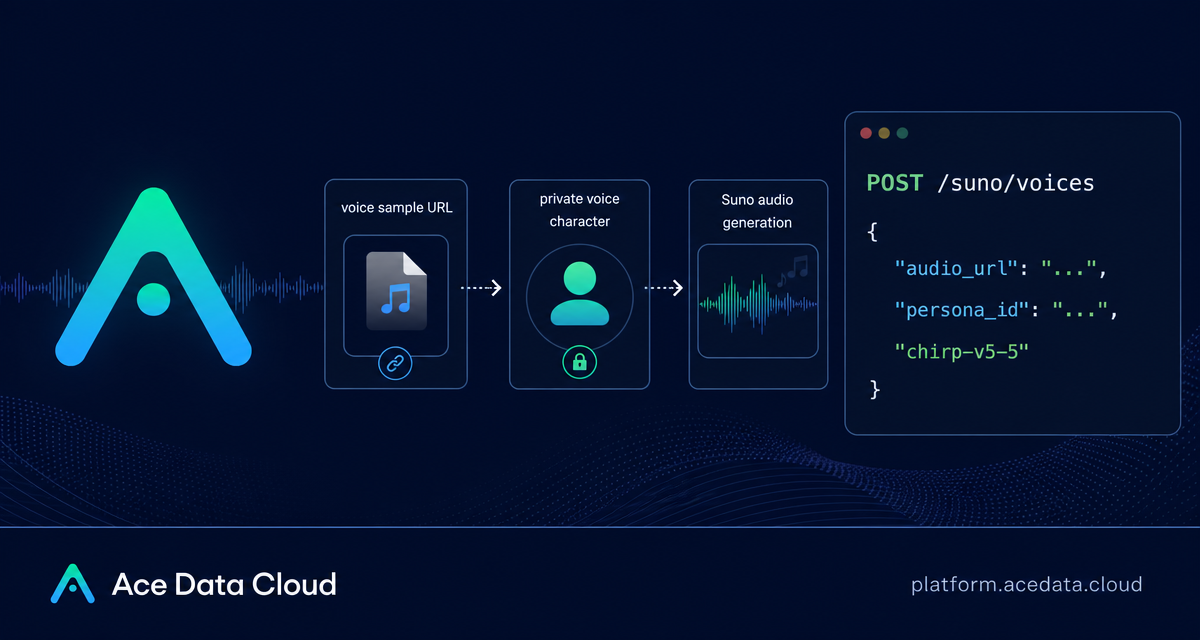
If you are building a music tool, a creator workflow, or an internal demo system, one common problem is making generated songs feel tied to a specific voice without turning the whole pipeline into a manual production process. The Suno voice cloning flow on Ace Data Cloud gives you a simple two-step API pattern: create a private voice character from a clean audio file, then pass its persona_id into music generation.
What you can do
The workflow is intentionally small. You provide a publicly accessible recording through audio_url, create a voice character with POST /suno/voices, and receive a persona_id. That ID can then be used with POST /suno/audios by setting action to generate and passing the same persona_id.
In practical terms, this is useful when you want to prototype:
- a music app where a user can generate songs in a consistent private voice;
- a creator tool that turns a short vocal sample into a reusable singing persona;
- a batch workflow where prompts change but the voice identity stays stable;
- a cover workflow, because the same
persona_idcan also be used with thecoveraction.
The important constraint is that this is not a cross-account public voice marketplace. Voice characters created from uploaded audio are private resources, and the returned is_public field is always false.
How it works
The API flow has two calls. First, you create the voice character. The request has one required field, audio_url, and two optional fields, name and description. The audio file must be available at a public URL and must be in WAV or MP3 format.
Second, you generate music. The voice character ID returned as data.persona_id is passed to the Suno audio generation endpoint. The documentation notes that voice cloning supports chirp-v4-5 and above, including chirp-v4-5, chirp-v5, and chirp-v5-5. It does not support chirp-v4.
Prepare the voice sample carefully
Most reliability issues in voice workflows start before the API call. The source file should contain a clear, recognizable single speech or singing voice. The minimum duration should be no less than 10 seconds, but the recommended practical range is clean single-voice material of 30-60 seconds.
Avoid background noise, accompaniment, echo, and reverb. Do not include multiple speakers or multiple voices. Low volume, unclear speech, or excessive noise may cause cloning failure or poor generation quality. In a builder workflow, I would validate these requirements before sending the URL: check the file extension, duration, and whether the asset is actually reachable from the public internet.
Create the voice character
Here is the complete request shape from the integration document. Replace {token} with your Ace Data Cloud API token and replace the example audio_url with your own public MP3 or WAV recording.
curl -X POST 'https://api.acedata.cloud/suno/voices' \
-H 'accept: application/json' \
-H 'authorization: Bearer {token}' \
-H 'content-type: application/json' \
-d '{
  "audio_url": "http://cos.aitutu.cc/mp4/ru-user-voice.mp3",
  "name": "RU User Voice Test",
  "description": "User voice recording example"
}'
A successful response includes a task ID and a data object. The most important value is persona_id, because this is the handle you will pass into downstream music generation.
{
  "success": true,
  "task_id": "b9150e51-d87c-4556-a55e-100947a63bdf",
  "data": {
    "persona_id": "e95013f8-eaee-4741-a42f-1d559a9d0b2b",
    "name": "RU User Voice Test",
    "is_public": false
  }
}
Notice the is_public value. For this upload-based voice cloning path, the voice character is private. The documentation also recommends using the voice character soon after creation, because prolonged inactivity may lead to expiration or unavailability.
Generate a song with the cloned voice
Once you have the persona_id, the next call is to POST /suno/audios. Set action to generate, choose a supported model such as chirp-v5-5, provide a music prompt, and pass the persona_id.
curl -X POST 'https://api.acedata.cloud/suno/audios' \
-H 'accept: application/json' \
-H 'authorization: Bearer {token}' \
-H 'content-type: application/json' \
-d '{
  "action": "generate",
  "model": "chirp-v5-5",
  "prompt": "A warm synth-pop song about city nights",
  "persona_id": "e95013f8-eaee-4741-a42f-1d559a9d0b2b"
}'
The response returns generated audio data. In the documented example, the item includes fields such as id, title, audio_url, image_url, model, state, prompt, and duration.
{
  "success": true,
  "task_id": "53d8a334-a972-43c5-895e-60c4454e88d5",
  "data": [
    {
      "id": "16463960-077c-4700-bbb3-3c7897b943d3",
      "title": "Soft Neon on My Skin",
      "audio_url": "https://cdn1.suno.ai/16463960-077c-4700-bbb3-3c7897b943d3.mp3",
      "image_url": "https://cdn2.suno.ai/image_16463960-077c-4700-bbb3-3c7897b943d3.jpeg",
      "model": "chirp-v5-5",
      "state": "succeeded",
      "prompt": "A warm synth-pop song about city nights",
      "duration": 156.28
    }
  ]
}
For an application, you would typically store the persona_id with the user or project that created it, then store each generated track’s audio_url, image_url, state, and duration when the generation succeeds.
Implementation notes for builders
A clean implementation usually treats the voice character as a separate resource from a generated song. That keeps the workflow flexible: users can create a voice once, then try several prompts with the same identity. It also makes it easier to enforce the documented model constraint. If a user selects an unsupported model such as chirp-v4, block the request in your UI before it reaches the API.
I would also avoid hiding the audio requirements. If your product asks users to upload a noisy group recording and then silently sends it to the API, the user will experience the result as random. A short checklist near the upload field is more useful: MP3 or WAV, at least 10 seconds, one clear voice, no accompaniment, no multiple speakers.
Where this fits
This API is most useful when the voice is part of the workflow rather than a one-off novelty: creator tooling, music prototyping, internal brand demos, or user-generated song experiments. Keep the pipeline explicit, validate the input recording, save the persona_id, and generate with a supported Suno model.
For the exact integration details, read the Ace Data Cloud documentation: Suno Voice Clone API Integration Instructions.


Comments
Post a Comment