How to Add Text-to-Speech to Your App with the Fish TTS API
Adding text-to-speech sounds simple until you need reliable audio URLs, controllable output formats, cloned voices, and a way to handle longer synthesis jobs without keeping one HTTP connection open forever.
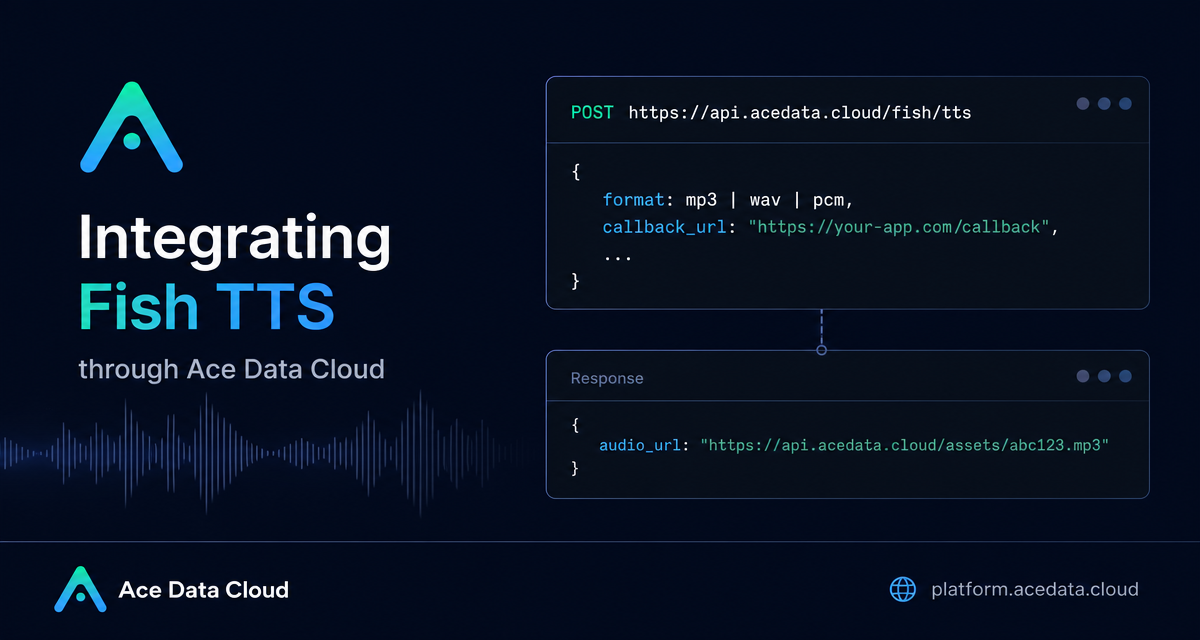
This guide walks through the Fish TTS API exposed through Ace Data Cloud. It focuses on the practical integration path: sending text to POST https://api.acedata.cloud/fish/tts, choosing the right audio format, controlling speech output, and using callback_url when a request should run asynchronously.
What you can do
The endpoint synthesizes text into audio and returns an audio_url hosted on the platform CDN. The same API can also use a cloned voice through reference_id or inline references, adjust prosody, and switch between Fish TTS models using an HTTP header.
- Generate speech from a non-empty
textstring. - Return
mp3,wav, orpcmoutput. The default format ismp3. - Use
reference_idorreferencesfor cloned voice scenarios. - Use common sample rates such as
16000,22050, or44100. - Control MP3 bitrate with
mp3_bitratevalues of64,128, or192. - Use
prosody.speedandprosody.volumeto tune delivery. - Pass
callback_urlto receive the completed result later for longer jobs.
One important detail: opus is not supported, and passing it will return a 400. The documentation also notes that wav and pcm return a WAV container.
How it works
The API address is:
POST https://api.acedata.cloud/fish/ttsAuthentication is done with the platform key in the authorization header:
authorization: Bearer YOUR_KEY
content-type: application/json
The optional model header selects the TTS model. Supported values are s1, s2-pro, and s2.1-pro. If you do not pass it, the default is s2-pro. The documentation describes s2.1-pro as the latest generation, s2-pro as expressive, and s1 as more stable for long text.
The request body follows the upstream Fish Audio TTS structure, with one Ace Data Cloud extension: callback_url. That makes the endpoint easy to adopt if you already have code calling the official Fish TTS API and mainly need to swap authentication and base URL.
Start with the smallest useful request
For a first integration, keep the payload small and explicit. The docs recommend including format: "mp3", even though MP3 is the default, because it makes client behavior obvious.
curl -X POST 'https://api.acedata.cloud/fish/tts' \
  -H 'authorization: Bearer YOUR_KEY' \
  -H 'content-type: application/json' \
  -d '{
    "text": "Hello world.",
    "format": "mp3"
  }'
A successful synchronous response contains an audio_url:
{
  "audio_url": "https://platform2.cdn.acedata.cloud/fish/e2ffcc06-18da-4a8c-b9aa-9337d0f9ec1d.mp3"
}
You can download that URL with a normal GET request or use it directly in an HTML <audio> element. For production systems, it is still sensible to copy generated audio into your own storage if you need strict lifecycle control.
Use cloned voices with reference_id
For voice cloning workflows, the request can include reference_id. The field accepts a string or an array of strings. The documentation also supports references, an array of inline samples where each object contains audio and text. One of reference_id or references must be provided for cloned voice usage.
curl -X POST 'https://api.acedata.cloud/fish/tts' \
  -H 'authorization: Bearer YOUR_KEY' \
  -H 'content-type: application/json' \
  -d '{
    "text": "Hermanos míos, hoy es un buen día.",
    "reference_id": "8d2c17a9b26d4d83888ea67a1ee565b2",
    "format": "mp3"
  }'
This pattern is useful when your application stores a selected voice ID per user, character, or narration style and only changes the spoken text at runtime.
Tune delivery with prosody and model headers
If the voice is right but the pacing is not, use prosody. The supported overrides are speed, where 1.0 is normal speed, and volume, a gain value in dB. Values above 1 speed up speech, while values below 1 slow it down.
curl -X POST 'https://api.acedata.cloud/fish/tts' \
  -H 'authorization: Bearer YOUR_KEY' \
  -H 'content-type: application/json' \
  -d '{
    "text": "Faster speech with prosody overrides.",
    "prosody": { "speed": 1.2, "volume": 0 },
    "format": "mp3"
  }'
For longer text where stability matters, you can switch models in the header:
curl -X POST 'https://api.acedata.cloud/fish/tts' \
  -H 'authorization: Bearer YOUR_KEY' \
  -H 'content-type: application/json' \
  -H 'model: s1' \
  -d '{
    "text": "high bitrate mp3",
    "format": "mp3",
    "mp3_bitrate": 128
  }'
mp3_bitrate only applies when format is mp3. For workflows that need browser-side stitching or later audio processing, the docs recommend pcm with a sample rate such as 16000; the returned URL uses a .wav extension because the data is returned in a WAV container.
Handle long synthesis jobs asynchronously
Long text synthesis can take several seconds or more. Instead of holding the connection open, pass callback_url. The endpoint immediately returns task_id and started_at, then posts the completed result to your callback URL with the same task_id and an audio_url.
curl -X POST 'https://api.acedata.cloud/fish/tts' \
  -H 'authorization: Bearer YOUR_KEY' \
  -H 'content-type: application/json' \
  -d '{
    "text": "The weather is really nice today, let us go for a walk together.",
    "format": "mp3",
    "callback_url": "https://webhook.site/4815f79f-a40f-4078-ac85-1cc126b6bb34"
  }'
The immediate response looks like this:
{
  "task_id": "79d82713-2897-4eeb-9934-e7544d471aa7",
  "started_at": "2026-05-11T01:23:04.742Z"
}
Later, your callback receives JSON containing the same task_id and the final audio_url. That makes it straightforward to persist a pending job in your database and mark it complete when the webhook arrives.
Plan for errors
The documented error codes are worth wiring into your client from the start:
400 token_mismatched: missing or invalid request parameters, such as emptytextor an unsupportedformat.401 invalid_token: the authentication key does not exist or is invalid.429 too_many_requests: account rate limit triggered.500 api_error: internal server error.
Validation errors may include an upstream pydantic message in message, which is helpful when debugging a bad field value.
Putting it together
The practical integration path is small: send JSON to /fish/tts, include your bearer key, explicitly set format, and store the returned audio_url. Add reference_id when you need a cloned voice, prosody when you need pacing control, and callback_url when long text should complete in the background.
For the exact field list and additional examples, read the Fish TTS API Integration Guide.


Comments
Post a Comment