How to Add Claude Code to GitHub Actions with Ace Data Cloud
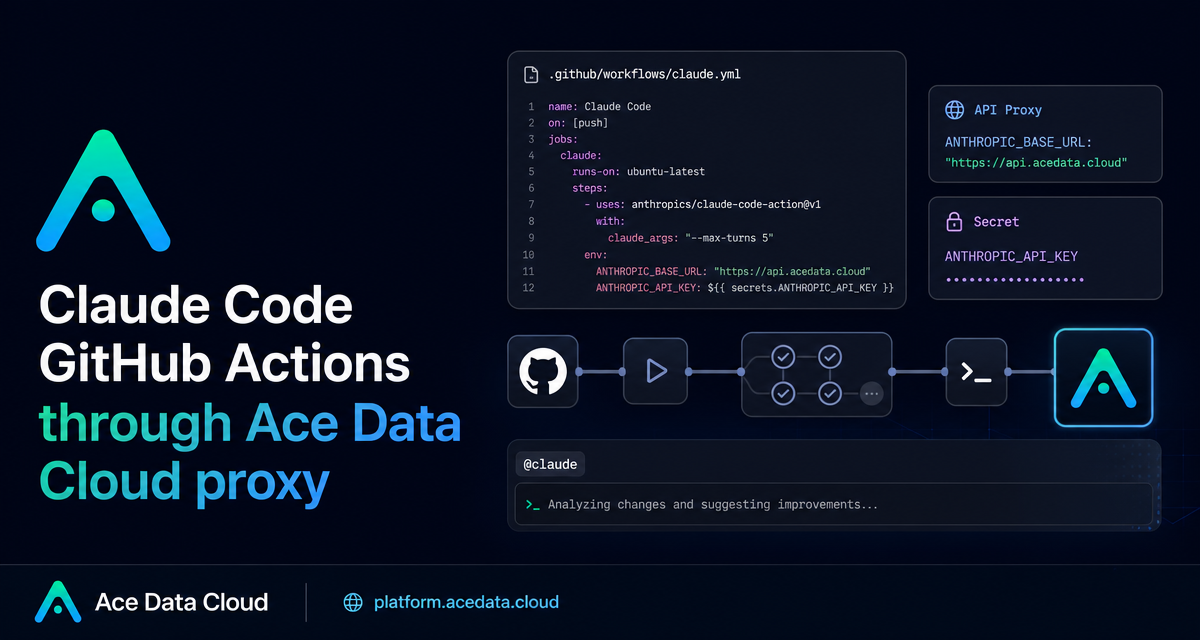
Code review and small implementation tasks often get stuck between “someone should look at this” and “someone has time to look at this.” A practical way to reduce that gap is to wire Claude Code into GitHub Actions, so an issue or pull request comment can trigger an agentic coding workflow directly inside your repository.
What you can do
The Claude Code GitHub Actions setup described in the Ace Data Cloud documentation lets you use GitHub comments and workflow triggers as the control surface for coding automation. Once configured, you can mention @claude in an issue or pull request comment and ask it to inspect code, implement a feature, fix a bug, or answer a repository-specific question.
The workflow can also run automatically. For example, you can configure a pull request review job that passes prompt: "/review", or a scheduled job that asks for a daily summary of commits and unresolved issues. The important part is that everything runs through GitHub Actions, so execution is visible in the same place your team already checks CI logs.
How it works
There are three moving pieces:
- The Claude GitHub App installed on the repository.
- A repository secret named
ANTHROPIC_API_KEY. - A workflow file such as
.github/workflows/claude.ymlthat usesanthropics/claude-code-action@v1.
When a configured GitHub event fires, the action receives your instruction and runs Claude Code in a GitHub runner. If you use Ace Data Cloud as the API endpoint, the workflow sets ANTHROPIC_BASE_URL to https://api.acedata.cloud while still passing the API key through the standard anthropic_api_key input.
Step 1: Install the GitHub App and add the secret
Start by installing the Claude GitHub App for the repository you want to automate. The documented permissions are Contents read/write, Issues read/write, and Pull requests read/write. Those permissions match the tasks the action needs to perform: read code, respond to issues, create pull requests, and push changes.
Next, add your Ace Data Cloud API token as a GitHub Actions secret:
- Open your repository settings.
- Go to Secrets and variables → Actions.
- Create a new repository secret named
ANTHROPIC_API_KEY. - Paste the API token as the value.
Do not place the token directly in your workflow YAML. Keeping it in GitHub Secrets allows the workflow to reference it as ${{ secrets.ANTHROPIC_API_KEY }} without exposing the value in the repository.
Step 2: Create the minimal workflow
A basic workflow can listen for comments on issues and pull requests, then invoke Claude Code when needed:
name: Claude Code
on:
  issue_comment:
    types: [created]
  pull_request_review_comment:
    types: [created]

jobs:
  claude:
    runs-on: ubuntu-latest
    steps:
      - uses: anthropics/claude-code-action@v1
        with:
          anthropic_api_key: ${{ secrets.ANTHROPIC_API_KEY }}
        env:
          ANTHROPIC_BASE_URL: "https://api.acedata.cloud"
This keeps the workflow intentionally small. The action key is anthropic_api_key, the secret name is ANTHROPIC_API_KEY, and the proxy endpoint is provided through ANTHROPIC_BASE_URL.
Step 3: Trigger it from issues and pull requests
After the workflow is enabled, you can use plain comments as instructions. The documentation shows examples like:
@claude Implement the functionality based on the description of this Issue
@claude Review the code safety of this PR
@claude Fix the TypeError in the user dashboard component
@claude How should user authentication for this endpoint be implemented?
This pattern works well when you want the request to stay close to the code discussion. A reviewer can ask for a safety pass on a pull request, or a maintainer can ask Claude to turn an issue description into a concrete implementation.
Step 4: Add automatic review or scheduled tasks
For pull request reviews, you can pass a fixed prompt and limit the number of turns with claude_args:
name: Code Review
on:
  pull_request:
    types: [opened, synchronize]

jobs:
  review:
    runs-on: ubuntu-latest
    steps:
      - uses: anthropics/claude-code-action@v1
        with:
          anthropic_api_key: ${{ secrets.ANTHROPIC_API_KEY }}
          prompt: "/review"
          claude_args: "--max-turns 5"
        env:
          ANTHROPIC_BASE_URL: "https://api.acedata.cloud"
The documented action parameters include anthropic_api_key, prompt, claude_args, github_token, and trigger_phrase. Common CLI arguments passed through claude_args include --max-turns, --model, --mcp-config, --allowed-tools, and --debug.
For scheduled automation, the workflow can use GitHub’s schedule event and a cron expression such as 0 9 * * *. That is useful for recurring repository maintenance tasks like summarizing recent commits or unresolved issues.
Practical guardrails
A useful setup is not just about making the action run. Add a CLAUDE.md file at the root of your repository to define coding style, review standards, and project conventions. The documentation notes that Claude reads this file and follows those project-specific rules.
For safety and cost control, keep API keys in GitHub Secrets, review generated changes before merging, use explicit @claude commands when you do not want every event to trigger work, set reasonable --max-turns values, configure workflow timeouts, and use GitHub concurrency controls if parallel runs become noisy.
Where to go next
If your team already uses GitHub Issues and pull requests as the source of truth, Claude Code GitHub Actions gives you a low-friction way to add AI assistance without changing that workflow. Start with comment-triggered tasks, add CLAUDE.md, and only then move into automatic review or scheduled automation.
For the full configuration reference and examples, read the Claude Code GitHub Actions Integration Guide.


Comments
Post a Comment